




The tool you choose affects every outreach email you send. Yet most "best tools" lists put ten products into one ranking, as if a solo founder and a 50-person SDR team need the same thing. They don't.
We grouped ten tools into four categories: all-in-one outbound, high-volume cold email, multichannel sequences, and enterprise sales engagement. Each tool is compared with its closest competitors.
Teams run outreach differently. Some need fresh leads and verification before they send anything. Others already have the leads but need to manage dozens of inboxes. For some sales teams, email is only one part of a sequence that includes LinkedIn and calls. What you need from an outreach tool depends on how you work and where you need the most help.
TL;DR
- Best AI outreach tool for all-in-one outbound: VitaMail. It builds the campaign, finds leads in real time, and sends, all in one workflow.
- Best cold email software for volume: Instantly. Unlimited mailboxes and built-in warm-up on flat pricing.
- Best for multichannel sequences: Reply.io. Email, LinkedIn, calls, and SMS in one cadence.
- Best outreach sales tool for enterprise teams: Outreach. Sequences plus deal management and forecasting.
- How to choose: Match the tool to your bottleneck (leads, inbox volume, channels, or deal management), not to the longest feature list.
Email Outreach Tools Compared in 2026
The right tool depends on how you run outreach. Some platforms cover the whole process, while others focus on sending volume, multichannel sequences, or enterprise sales workflows. The table below gives you a quick look at all 10 tools before we compare them within their categories.
Pricing and ratings were checked in September 2026. Prices shown are starting rates and may vary by billing cycle, plan, or usage.
4 Types of Email Outreach Tools (and Which One Fits You)
Not every outreach email comes from the same setup. A solo founder sending 30 emails a day needs something different from a 50-person sales team running structured follow-up sequences.
That's why we grouped ten email outreach tools into four groups based on their functions. Each group solves a different problem, and the rankings only compare tools within the same category.
Here's the quick breakdown:
- All-in-one outbound — Finds leads, writes the email, and sends it, all in one tool. A practical choice if you'd rather use one tool instead of three.
- High-volume cold email: Built for managing multiple mailboxes and sending at scale, with a strong focus on deliverability.
- Multichannel sequences: Combines email with other steps, such as LinkedIn, calls, or text.
- Enterprise sales engagement: Adds pipeline tracking, forecasting, and coaching to sales sequences for larger teams.
Find the group that matches how you work, then jump to that section below. A tool ranked third in one category may fit your needs better than a tool ranked first in another.
Best AI Outreach Tools for All-in-One Outbound
These ai outreach tool options cover lead sourcing, writing, and sending in one workflow. If you want fewer tabs and fewer CSV exports, start here. We ranked them on workflow coverage, lead sourcing, AI capabilities, deliverability features, and pricing clarity.
VitaMail
Best for: AI-built campaigns with real-time lead sourcing
VitaMail is an all-in-one AI outbound tool that takes a campaign from the initial idea to verified leads and sending. You describe what you sell, and it builds a campaign strategy and ideal customer profile (ICP) around it. From there, it finds matching leads in real time. You can also upload a list you already have.
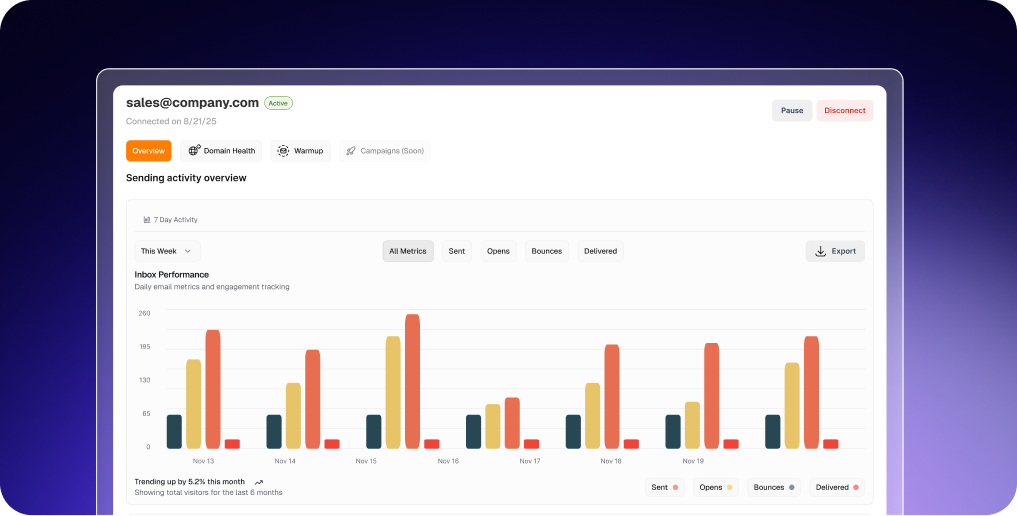
You can verify emails, write personalized copy with AI, and send sequences through your Gmail or Outlook inbox without moving between separate tools. Warm-up, domain health monitoring, and gradual sending are also built into the workflow. For founders, SMB sales teams, and small agencies, that means fewer tools to manage from campaign setup to sending.
Key features
- AI campaign creation based on your product or service
- ICP generation and real-time lead sourcing
- Email verification and AI personalization
- Automated warm-up, domain health monitoring, and gradual sending.
Limitations
- Email only. It doesn't include LinkedIn or calling steps.
- Less suited to large sales teams that need advanced pipeline management.
Pricing: Free plan with 1,000 credits. Business starts at $49/month with 1,000 monthly credits. Pay-per-use credits and enterprise pricing are also available.
Who is it for? Business owners, SMB sales teams, and agencies that want to find leads, verify them, and run outreach from one place.
What users say: A small-business marketer rated VitaMail 5/5 on G2 for its easy campaign setup and time savings.

VitaMail review from G2
Apollo
Best for: Database-first prospecting with built-in sequences
Apollo puts its contact database at the center of the workflow. You can search for prospects using filters such as job title, industry, and company size, then build targeted lists without leaving the platform.
Once you have a list, Apollo also handles outreach through email sequences and a built-in dialer. The main difference from VitaMail is how prospecting starts. Apollo gives you a database to search and filter, while VitaMail finds leads based on the campaign and ICP you create.
Key features
- Searchable contact database with detailed filters
- Email sequences and outreach automation
- Built-in dialer
- CRM integrations
Limitations
- The number of features and filters can feel overwhelming at first.
- Contact data may still need checking before outreach.
Pricing: Free plan available. The Basic plan starts at $65 per user/month with monthly billing. Professional starts at $99 per user/month.
Who is it for? SDR teams and SMBs that want a large prospect database alongside their outreach tools.
What users say: A small-business user rated Apollo 5/5 on G2, praising its prospecting tools and filters while noting that some contact data still needs verification.

Apollo review from G2
Saleshandy
Best for: Budget-friendly cold email with a built-in contact database
Saleshandy combines lead finding and cold email sending in one platform. You can find prospects through its Lead Finder, verify emails, connect multiple mailboxes, and run sequences without moving between separate tools.
It makes the most sense for lean teams that want to manage several inboxes without paying per seat. Features such as inbox rotation and a unified inbox also help keep campaigns and replies in one place.
Key features
- Built-in contact database
- Unlimited email accounts
- Email verification and inbox rotation
- Unified inbox for managing replies
Limitations
- Some verification credits are one-time grants rather than monthly refills.
- Lead Finder credits can add to the overall cost.
Pricing: Starter costs $34/month when billed annually, or $41/month with monthly billing. A 7-day free trial is available.
Who is it for? Solo founders, agencies, and lean teams managing cold email outreach across multiple inboxes.
What users say:
A small-business user rated Saleshandy 4.5/5 on G2, highlighting inbox rotation and email verification while noting limits around extra credits.
 Apollo review from G2
Best Cold Email Software for High-Volume Sending
This is the cold email software group from above, built for people who run a lot of mailboxes. Inbox placement matters more than features here. We ranked on mailbox limits and pricing model, warm-up, inbox rotation, multi-client handling, and support.
1. Instantly
Best for: Unlimited mailboxes with flat monthly pricing
Instantly is built around running cold email campaigns across multiple sending accounts. Its Growth plan includes unlimited email accounts and unlimited warm-up, making it easier to spread sending across inboxes without paying for each one separately.
Campaigns, replies, and sending accounts can be managed from the same platform. This makes Instantly a practical choice for agencies and growth teams that already know who they want to reach and need the sending infrastructure to handle it.
Key features
- Unlimited email accounts
- Unlimited email warm-up
- Unified inbox for replies
- Multiple sending accounts
Limitations
- Lead data costs extra.
- The Growth plan limits monthly email volume and uploaded contacts.
Pricing: Growth starts at $47/month and includes 5,000 emails per month.Higher-volume plans start at $97/month.
Who is it for? Agencies and growth teams running cold email outreach across multiple inboxes.
What users say: User rated Instantly 5/5 on G2, highlighting its warm-up, inbox rotation, and ability to manage multiple sending accounts.

2. Smartlead
Best for: Agencies managing high-volume email campaigns
Smartlead focuses on running larger email campaigns across multiple inboxes. It combines warm-up, inbox rotation, follow-ups, and campaign management, with plans that increase sending and contact limits as volume grows.
For agencies, the appeal is having campaigns and replies in one place while managing a larger sending setup. Smartlead has more moving parts to learn at first, but it gives teams room to increase volume.
Key features
- Unlimited mailboxes and warm-up
- Inbox rotation
- Master inbox
- AI-assisted warm-up
Limitations
- Can take time to learn at first.
- Lower plans limit contacts and email sends.
Pricing: Base starts at $32/month with annual billing and includes 6,000 email sends per month. Pro starts at $78/month.
Who is it for? Agencies and outbound teams managing multiple inboxes and higher sending volumes.
What users say: A small-business user rated Smartlead 5/5 on G2, highlighting its smooth workflow and deliverability tracking.

Best Outreach Tools for Multichannel Sequences
With these outreach tools, email is only one part of the sequence. Reps can combine it with LinkedIn, calls, and sometimes SMS. We ranked the tools on supported channels, sequence setup, personalization, data, and per-user cost.
1. Reply.io
Best for: Running email, LinkedIn, calls, and SMS in one sequence
Reply.io brings several outreach channels into one workflow. Teams can combine email, LinkedIn, SMS, and phone calls instead of managing each channel separately.
You can build sequences that move prospects between these channels based on your outreach process. Reply.io also offers AI features for prospecting and messaging, while CRM integrations help sales teams keep lead activity connected.
Key features
- Cross-channel sequences
- Built-in calling
- AI assistant and AI SDR option
- CRM integrations
Limitations
- Pricing increases as you add users.
- Takes more setup than an email-only tool.
Pricing: Multichannel starts at $99 per user/month and includes email, LinkedIn, SMS, and phone outreach. A 14-day trial is available.
Who is it for? SDR teams and mid-size sales teams that contact prospects across several channels.
What users say: A small-business user rated Reply.io 5/5 on G2, highlighting its LinkedIn messaging and sequence personalization.

2. Lemlist
Best for: Personalized outreach across email and other channels
Lemlist puts personalization at the center of its outreach workflow. Teams can personalize emails with text, images, and videos rather than relying on the same message for every prospect.
It also runs email, LinkedIn, WhatsApp, and call steps in one flow. Warm-up is built in. A native meeting scheduler called Lemcal ties into your campaigns, which saves a step when a lead says yes.
Key features
- Image and video personalization
- Multichannel sequences
- Email warm-up
- Personalized campaign content
Limitations
- Pricing increases as you add users.
- Image and video personalization takes extra setup.
Pricing: Email starts at €69/month, while the Multichannel plan starts at €109/month with monthly billing. Enterprise pricing is custom.
Who is it for? Agencies and founder-led sales teams that want more personalized outreach.
What users say: A small-business user rated lemlist 4.5/5 on G2, highlighting its multichannel sequences and deliverability tools while noting limits in reporting.

3. Klenty
Best for: Sales teams combining email, LinkedIn, and calls
Klenty is a sales engagement tool for teams that pick up the phone. It combines email cadences with calling and LinkedIn steps, and it plugs into the major CRMs.
It ranks third because it does less with AI than Reply.io or lemlist. Reps build cadences by hand. For some teams that's a plus. They want control, not an assistant guessing at copy.
Key features
- Multi-step cadences across email, calls, SMS, and LinkedIn
- CRM integrations
- Multi-step sales sequences
Limitations
- Less focused on AI than some newer tools.
- Built-in data cleaning and enrichment could be stronger.
Pricing: Starter starts at $60/month when billed quarterly and includes up to 15,000 contacts and 75,000 monthly emails. Growth starts at $85 per user/month.
Who is it for? Sales teams that combine email, LinkedIn, and calls in their outreach.
What users say: An enterprise user rated Klenty 5/5 on G2, highlighting its ease of use and LinkedIn workflow.

Best Outreach Sales Tools for Enterprise Teams
This last group covers the outreach sales tool picks for bigger teams. These platforms do more than send email. They manage pipeline, forecasting, and rep coaching. Cold email volume isn't the point. We ranked on CRM depth, forecasting and analytics, admin controls, ease of rollout, and pricing model.
1. Outreach
Best for: Sales sequences, deal management, and forecasting
Outreach is a sales execution platform built for larger revenue teams. It combines sales sequences with engagement tracking, deal management, forecasting, and tools for managing rep activity.
Unlike a CRM, Outreach works alongside systems such as Salesforce and HubSpot. Sales teams can run prospecting and follow-ups in Outreach while keeping customer and pipeline data connected to their CRM.
Key features
- Sales sequences across email and calls
- Deal management
- Forecasting and analytics
- CRM integrations
Limitations
- Can take time to set up and learn.
- More than most small teams need.
Pricing: Outreach uses custom pricing based on the package and business needs.Pricing checked: September 2026.
Who is it for? Larger sales teams that already use a CRM and need more control over sequences, deals, and forecasting.
What users say: User rated Outreach 5/5 on G2, highlighting its sequence management and engagement tracking.

2. Salesloft
Best for: Structured sales workflows and guided selling
Salesloft is built for sales teams that want a structured way to manage prospecting and follow-ups. It combines sales cadences, email automation, conversation insights, deal management, and forecasting in one platform.
For larger teams, Salesloft also helps keep tasks organized and gives managers more visibility into rep activity and performance. It works best when the team already has a defined sales process and wants a platform to manage it at scale.
Key features
- Sales cadences
- Call recording and conversation insights
- Deal management
- Forecasting
Limitations
- Some CRM and campaign integrations may be limited.
- Takes more setup than simpler sales tools.
Pricing: Salesloft uses custom pricing based on your team's needs.
Who is it for? Mid-size and enterprise sales teams that want structured prospecting, follow-ups, and deal management.
What users say: A mid-market user rated Salesloft 5/5 on G2, highlighting its task management and email automation while noting gaps in some integrations.
How We Chose These Tools
We started with tools that were active in 2026 and had public documentation. We checked pricing pages, G2, and Capterra. When a detail came directly from a vendor, we treated it as a vendor claim.
We then grouped the ten tools by how teams use them. Rankings apply within each category, not across all ten. We used different criteria for each category:
Category
What we considered
All-in-one
Workflow coverage, lead sourcing, AI capabilities, deliverability, pricing
High-volume
Mailbox limits, warm-up, inbox rotation, multi-client management, support
Multichannel
Supported channels, sequence setup, personalization, data, per-user cost
Enterprise
CRM integrations, forecasting, admin controls, setup, pricing
VitaMail competes only in the first category. It ranks first for combining campaign planning, real-time lead sourcing, verification, and sending in one workflow. Apollo puts more emphasis on database-driven prospecting, while Saleshandy offers a lower starting price. Pricing can change, so check each vendor's current plans before buying.
How to Write a Good Outreach Email
The tool can send the email, but the message still matters. These five rules are a good starting point:
- Keep the subject line short and natural.
- Start with why you're contacting that person, not an introduction about yourself.
- Make one point and one clear ask.
- Keep the message concise.
- Follow up without repeating the same message.
Here's a simple example:
Subject: Quick question about your SDR hires
Hi Dana, I saw you're hiring two SDRs. Teams at that stage often struggle to keep new reps' emails personal. We help small teams do it without adding ops headcount. Worth a 10-minute chat this week?
Sam
Does Cold Email Outreach Still Work in 2026?
It can, but sending large batches of generic emails is a poor approach. List quality, sender reputation, email relevance, and sending practices all affect whether your messages reach the inbox and get a response.
A better approach is to start with a focused prospect list, verify addresses, prepare your sending inboxes, and keep volume controlled. Follow-ups also matter, but each message should give the recipient a clear reason to respond.
Conclusion
Choose based on what your team needs most. If you want lead sourcing and sending in one place, start with the all-in-one category. If you manage many inboxes, look at the high-volume tools. For outreach across email, LinkedIn, and calls, compare the multichannel options. Larger teams that also need pipeline management and forecasting should look at the enterprise platforms.
Whichever tool you choose, start small. Watch replies, bounces, and deliverability before increasing volume. The category rankings above can help you narrow the options based on how your team actually works.

