

Instantly check your SPF record for critical errors, security vulnerabilities, and the issues that send your emails straight to spam.
Check, create, or validate your record to stop spoofing and boost deliverability.
Instantly find errors that send your emails to spam and put your domain at risk.
100% Free instant results. No sign up required.
A single "e;Pass"e; on one record isn't enough. Our all-in-one dashboard gives you a 360-degree view of your domain's health, analyzing every critical protocol that determines whether you land in the inbox or the spam folder.
Enforces your email security policy
Proves your email is untampered.
Receives your inbound mail
Puts your logo in inboxes
Checks your sender reputation score.
Verifies your domain's trust history
Ensures DMARC policy compliance
Confirm your email signatures are working right.

An SPF (Sender Policy Framework) record is a single line of text published in your domain's DNS that tells receiving mail servers exactly which sources are allowed to send email on your behalf.
When an email arrives claiming to be from your domain, the receiving server looks up your SPF record and checks whether the sending server's IP address is on that approved list.
If it isn't, the message can be flagged, quarantined, or rejected outright — which is exactly what stops someone else from spoofing your domain.
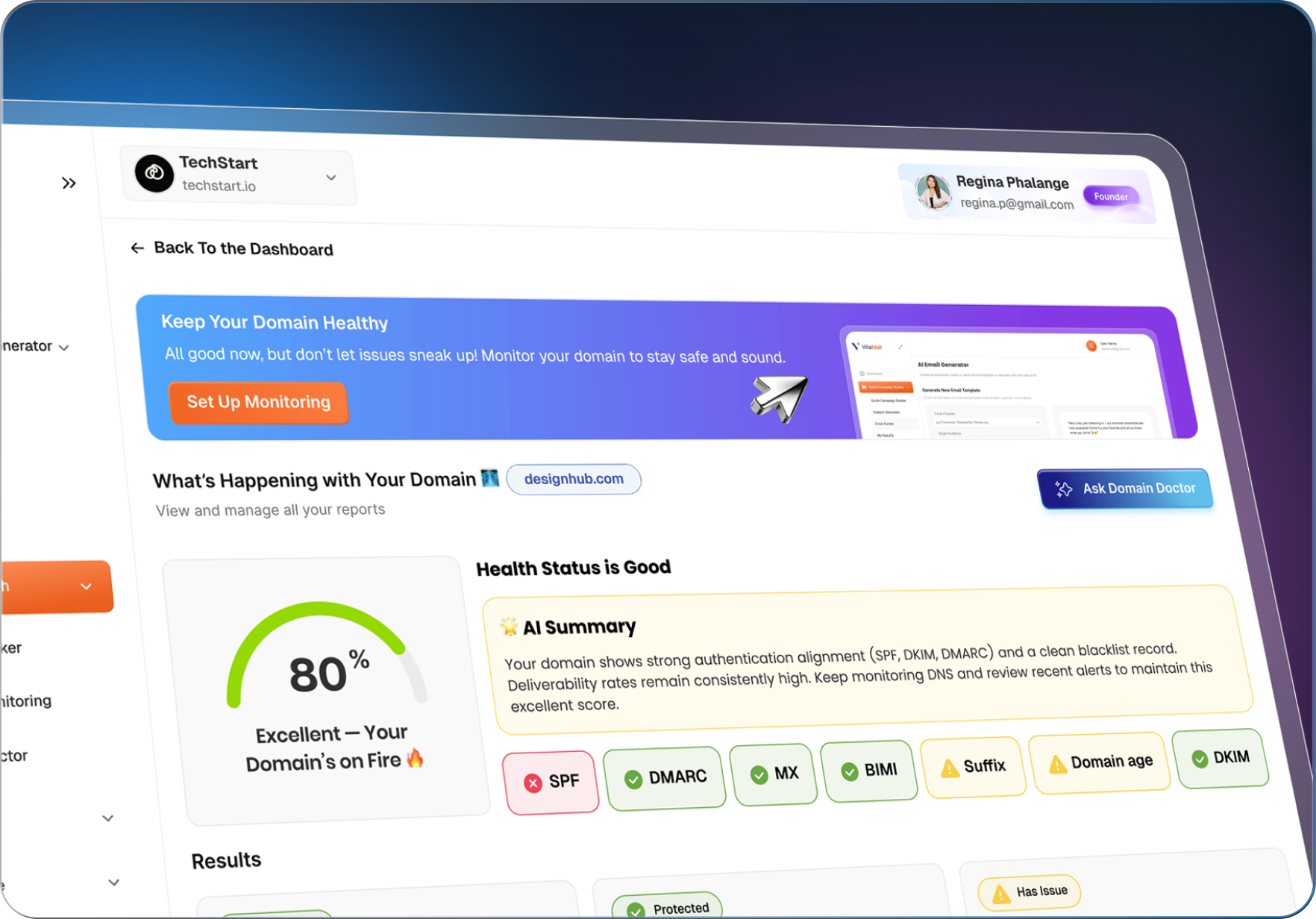
A hidden error in your SPF record is more than a technical problem, it's a business vulnerability.
Blacklist or DNS errors can quietly damage your deliverability and lower open rates. These issues hurt your reputation.

Mail servers (like Gmail, Outlook, and Yahoo) treat a broken SPF record as a high-risk signal.

The most common and cryptic error is exceeding the 10 DNS lookup limit. This invalidates your entire record.

Here's a real, working example:
v=spf1 include:_spf.google.com include:sendgrid.net ~allEach include, a, mx, ptr, and exists mechanism counts as one DNS lookup — and lookups nested inside a third-party's own SPF record count too. Cross 10 total lookups, or rack up more than 2 lookups that return nothing (void lookups), and receiving servers stop trusting your record entirely. This failure is called a PermError, and it doesn't just block the sender that pushed you over the limit — it invalidates the entire record, so every legitimate email from your domain can start failing SPF at once.
The final all mechanism decides what happens to mail from a source that isn't listed in your record.
This one tag has an outsized effect on your deliverability and your exposure to spoofing.
Tells receivers to reject unauthorized mail outright. The strictest, most protective setting — use this once you're confident every legitimate sender is listed.
Unauthorized mail is accepted but marked suspicious, often routed to spam. A common, safer stepping stone before moving to -all.
Authorizes literally any server to send as your domain. This defeats the purpose of SPF entirely and should never be used.
Takes no position — mail is neither passed nor failed. Offers essentially no protection and is rarely worth using intentionally.
Most actively sending domains land on ~all paired with a DMARC policy at p=quarantine or p=reject for full protection. Reserve -all alone for domains that never send email at all.
VRequiredMarks the record as SPF version 1. Must be the very first thing in the record, exactly v=spf1, or the whole record is ignored.
includeAuthorizes a third party's sending infrastructure, like your email marketing tool, CRM, or help desk, by pulling in that provider's own SPF record.
ip4 / ip6Directly authorizes a specific IPv4 or IPv6 address or range - useful for a mail server you run yourself.
aAuthorizes the server(s) pointed to by your domain's A record. Defaults to your own domain if no value is given.
mxAuthorizes the mail servers listed in your domain's MX records. Also defaults to your own domain if unspecified.
ptrChecks whether the sender's reverse-DNS hostname matches your domain. Rarely used today - it's slow and considered unreliable.
redirectPoints to another domain's SPF record to reuse instead of listing sources directly. Limits your flexibility, so most senders avoid it.
allRequiredThe catch-all mechanism that must sit at the very end of the record. It decides what happens to any sender not explicitly authorized above.
Stop guessing. Our SPF Checker gives you a clear, actionable report to take back control of your email. We don't just tell you "Pass" or "Fail", we show you why.
We perform a real-time analysis of the exact TXT record mail servers see right now.
Instantly spot typos, invalid mechanisms, or incorrect syntax that breaks your record.
Our built-in AI assistant translates complex errors into simple, step-by-step instructions, guiding you to the perfect fix.
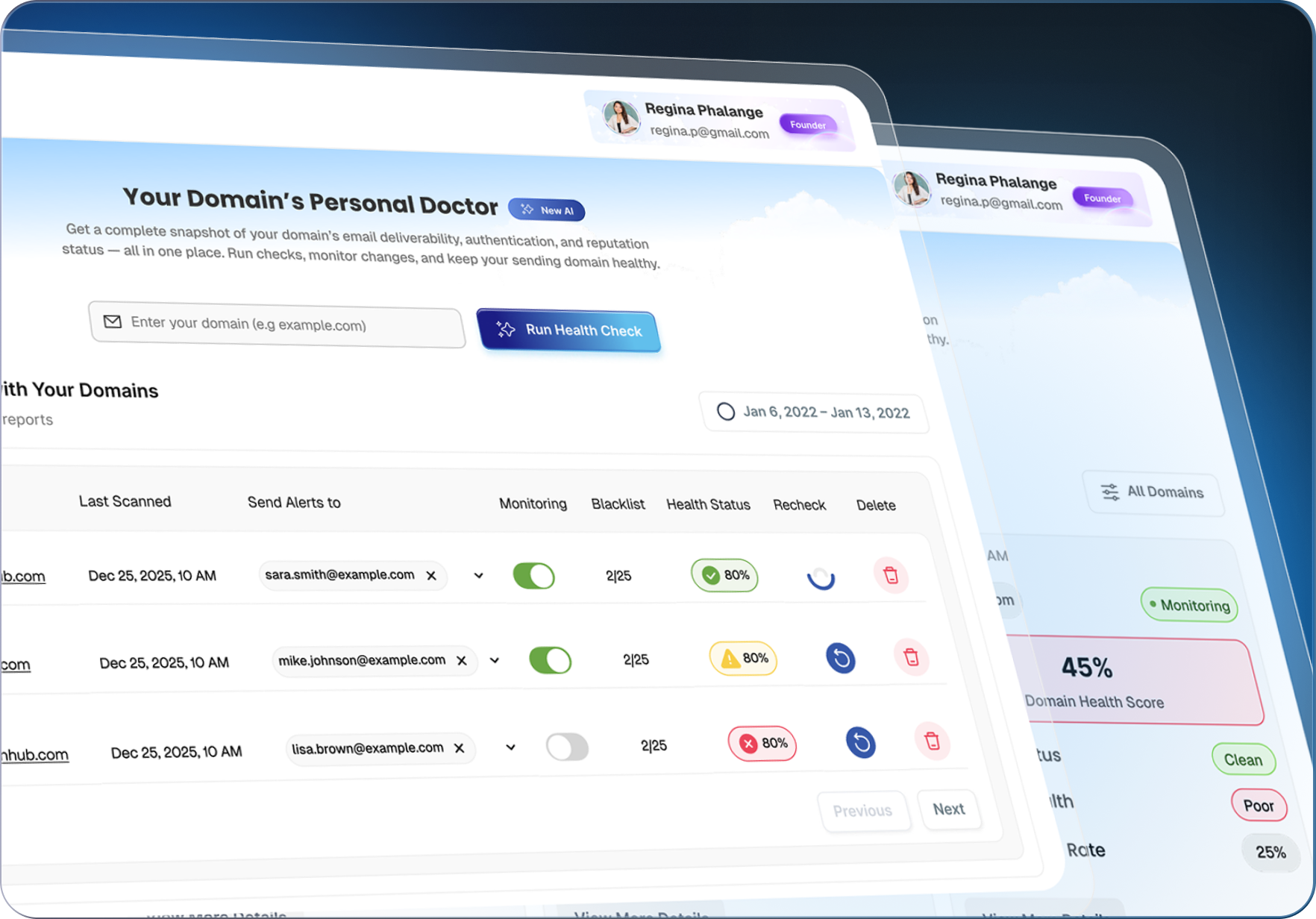
Ask Domain Doctor
Every other SPF checker hands you a red "Fail" and leaves you to Google the rest. Domain Doctor is built into VitaMail's SPF Checker to close that gap - it reads your specific error, translates it out of DNS jargon, and gives you the exact change to make in plain English.

Supercharge your email performance with our full toolkit - from authentication checks to deep deliverability insights.
DKIM is your email's "digital signature." It proves that the email came from your domain and that its content hasn't been tampered with in transit.
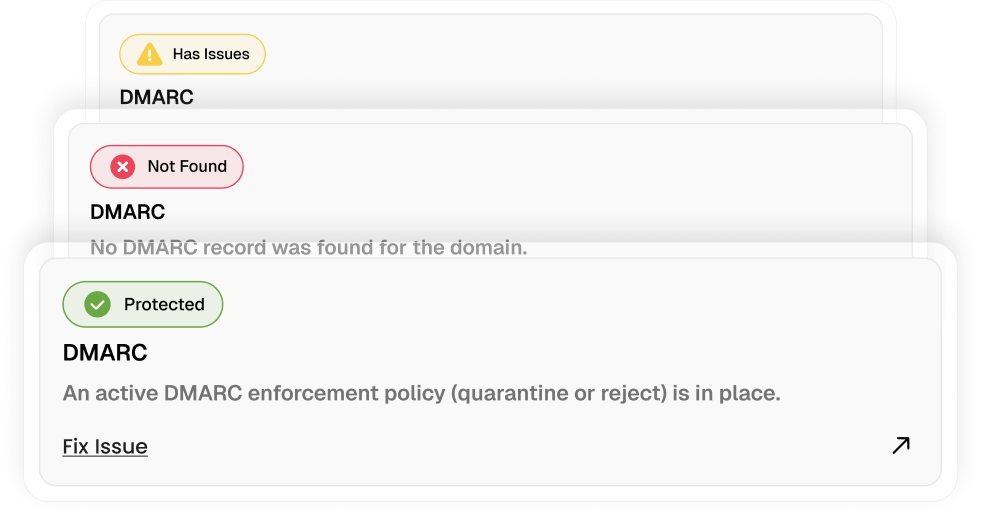
Enforcement Policy: Checks your policy tag (p=) to see if you are at none (monitoring), quarantine (spam), or reject (block).
Reporting: Validates your rua= and ruf= tags to ensure you are set up to receive vital security reports.
Alignment: Confirms your SPF/DKIM alignment (adkim=, aspf=) is set to "strict" or "relaxed."
Generate engaging subject line ideas for your email campaigns.
AI Subject Line Generator
Check your email copy for wording that may affect engagement or deliverability.
Email Content Checker
If you can`t find what you`re looking for, our team is always ready to assist you.
Join marketers who get fresh strategies, growth ideas, and new feature updates — only the useful stuff, no spam.


