




Sending cold emails one by one doesn’t scale. Cold email automation lets you build sequences that send, follow up, and pause — all without manual work. The result: consistent outreach, more replies, and time back in your day. According to the Epsilon Email Institute, automated email messages average 70.5% higher open rates and 152% higher click-through rates than “business as usual” marketing messages.
This guide walks you through building a cold email automation workflow from scratch — what to include, how to time it, and how to keep it running smoothly.
What Is a Cold Email Automation Workflow?
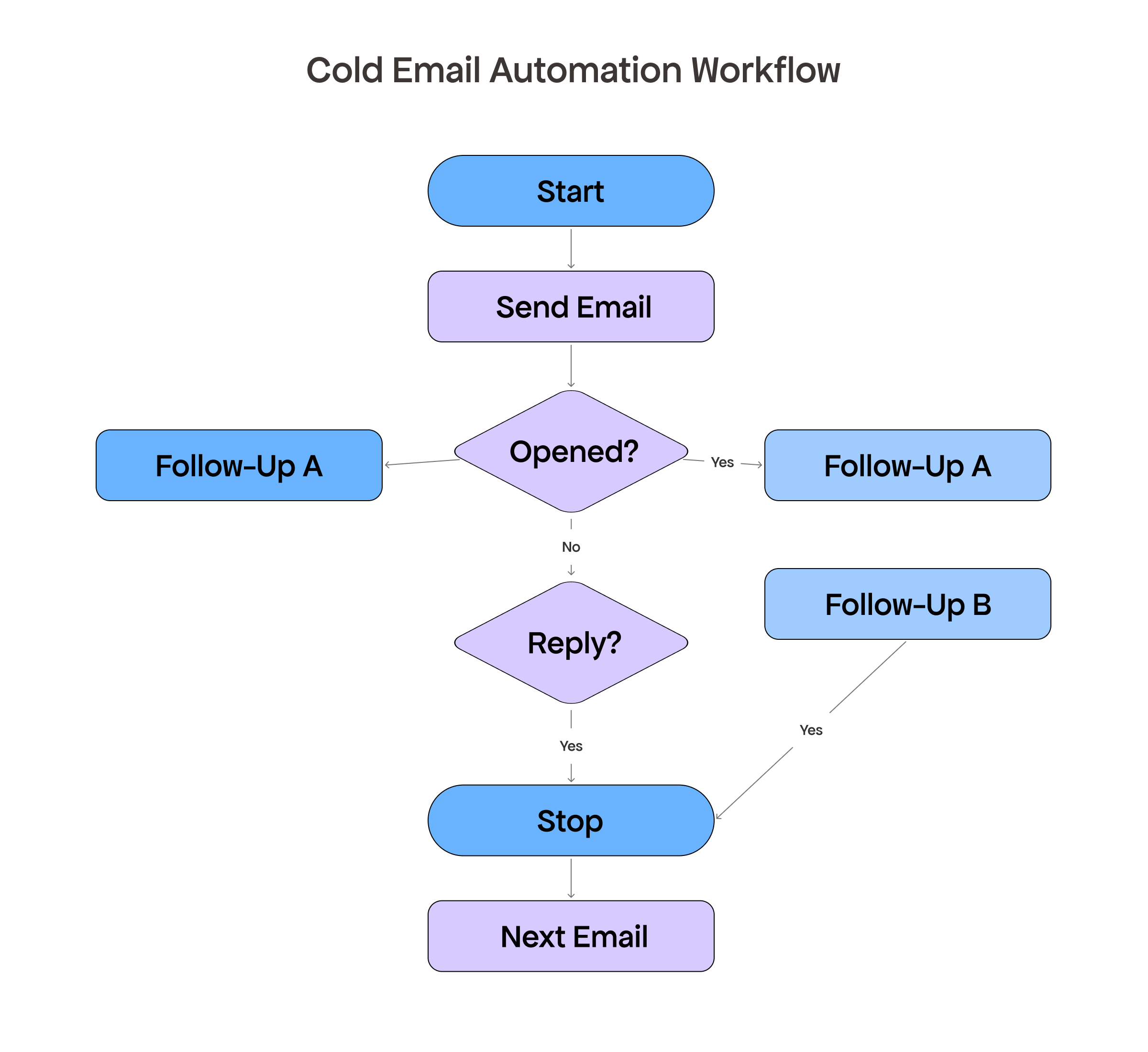
An email automation workflow is a series of pre-written emails sent automatically based on timing or prospect behavior. For cold outreach, it typically looks like this: a first email goes out on day one, a follow-up fires on day four if there’s no reply, another nudge goes out on day nine, and so on until the prospect replies or the sequence ends.
The key difference from a bulk blast: cold email automation is behavior-driven. If someone replies, the sequence pauses immediately. Every contact gets the right message at the right time — automatically.
Step 1: Define Your Workflow Goal
Every cold email automation workflow should have a single conversion goal.
Common goals:
• Book a demo or discovery call
• Get a reply to start a conversation
• Drive a signup or free trial
• Reconnect with a lapsed lead
Your goal determines the CTA in every email. A sequence aimed at booking a call ends with “Are you free Thursday at 2pm?” A free trial sequence ends with “Here’s a link to get started — takes 2 minutes.” Keep the goal consistent across every email in the workflow.
Step 2: Build Your Sequence Structure
Most effective cold email automation workflows follow a 4-email structure. Here’s what works — with a real example for each:
Email 1 — The opener (Day 1)
Short, specific, personalized. One sentence about them, one sentence about what you do and why it’s relevant, one clear CTA. Under 100 words.
Example:
Subject: Quick idea for [Company]’s outreach
Hi [Name],
I noticed [Company] is hiring 3 SDRs — usually means outreach volume is about to ramp up.
We help sales teams like yours automate cold email sequences so reps spend time on conversations, not follow-ups. We cut manual outreach work by ~60% for teams at [Similar Company].
Worth a 15-minute call this week?
[Your Name]
Email 2 — The follow-up (Day 4)
Don’t just say “just checking in.” Add something new: a stat, a short case study, or a question that opens a conversation. Keep it to 3–4 sentences.
Example:
Subject: Re: Quick idea for [Company]’s outreach
Hi [Name],
Wanted to follow up with a quick data point: teams that automate their follow-up sequences see a 40–60% lift in reply rates compared to manual outreach.
Happy to walk you through how it works for a team your size. Does Thursday or Friday work for a quick call?
[Your Name]
Email 3 — The value add (Day 9)
Share something genuinely useful — a resource, an insight, or a different angle on the problem you solve. This email earns attention rather than asking for it. End with a soft CTA.
Example:
Subject: How [Similar Company] scaled outreach with 2 reps
Hi [Name],
Thought this might be relevant: [Similar Company] was sending ~50 cold emails a week manually. After setting up an automated workflow with us, they scaled to 400/week — same team, no extra hires.
I can share the exact sequence structure they used if that would be helpful. Worth a conversation?
[Your Name]
Email 4 — The breakup (Day 16)
Two sentences. Low pressure. Give them an easy out — breakup emails often get reply rates as high as the first email because they remove friction entirely.
Example:
Subject: Closing the loop
Hi [Name],
I’ll leave it here — I know timing isn’t always right. If cold email automation ever becomes a priority, feel free to reach back out.
[Your Name]
Step 3: Write Emails That Actually Get Replies
A few rules that apply to every email in your cold email automation sequence:
• One idea per email. Don’t combine a case study, a feature list, and a CTA in the same message.
• One CTA per email. Multiple asks create friction. Pick one action and make it easy to take.
• Write like a human, not a marketing department. Read each email aloud — if it sounds like an ad, rewrite it.
• Keep it short. The first email should be under 100 words. Follow-ups can be even shorter.
Use VitaMail’s AI Email Generator to draft each email in your sequence. Give it the context — who you’re targeting, what problem you solve, what you want them to do — and edit from there rather than starting from scratch.
Step 4: Set Up Triggers and Conditions
Before launching, configure these conditions in your sending tool:
• Pause on reply: the sequence stops the moment a prospect replies. Following up on a live conversation destroys it.
• Pause on meeting booked: connect your scheduling tool so sequences stop when someone books a call.
• Exclude unsubscribes: anyone who opts out is removed immediately from all future sequences.
• Skip weekends: send Tuesday–Thursday, 8–10am in the recipient’s local timezone. Off-hours emails get buried.
Step 5: Validate Before You Launch
A well-built workflow sent to a bad list still fails. Before every campaign, run three checks:
Validate your list

Email lists decay at 20–30% per year. A bounce rate above 2% gets your domain flagged by Gmail. Use VitaMail’s Email Validator to remove hard bounces, role-based emails (info@, support@), and catch-all domains before every send.
Check for spam triggers
Modern spam filters flag broken unsubscribe links, authentication gaps, and promotional phrasing. Run each email through VitaMail’s Spam Checker before launch — it tells you exactly what to fix.
Verify your SPF record
A misconfigured SPF record silently routes emails to spam with no bounce notification. Use VitaMail’s SPF Checker to confirm your domain’s authentication is set up correctly before sending.
Step 6: Measure and Improve
Track these four numbers per campaign:
• Open rate: aim for 25–35%. Below 20% is a subject line or deliverability issue.
• Reply rate: 5–10% is strong. Below 3% on a clean list means the offer or targeting needs work.
• Bounce rate: keep under 2%. Above this, pause and validate your list immediately.
• Unsubscribe rate: a spike means your targeting is off.
Improve one variable at a time. Change the subject line on email 1 and run it for two weeks before touching anything else.
Build a Workflow That Runs While You Focus on Closing
A well-built cold email automation workflow handles the follow-ups, the timing, and the pausing on reply — so your team focuses on the conversations that matter. Email automation isn’t about sending more. It’s about sending smarter.
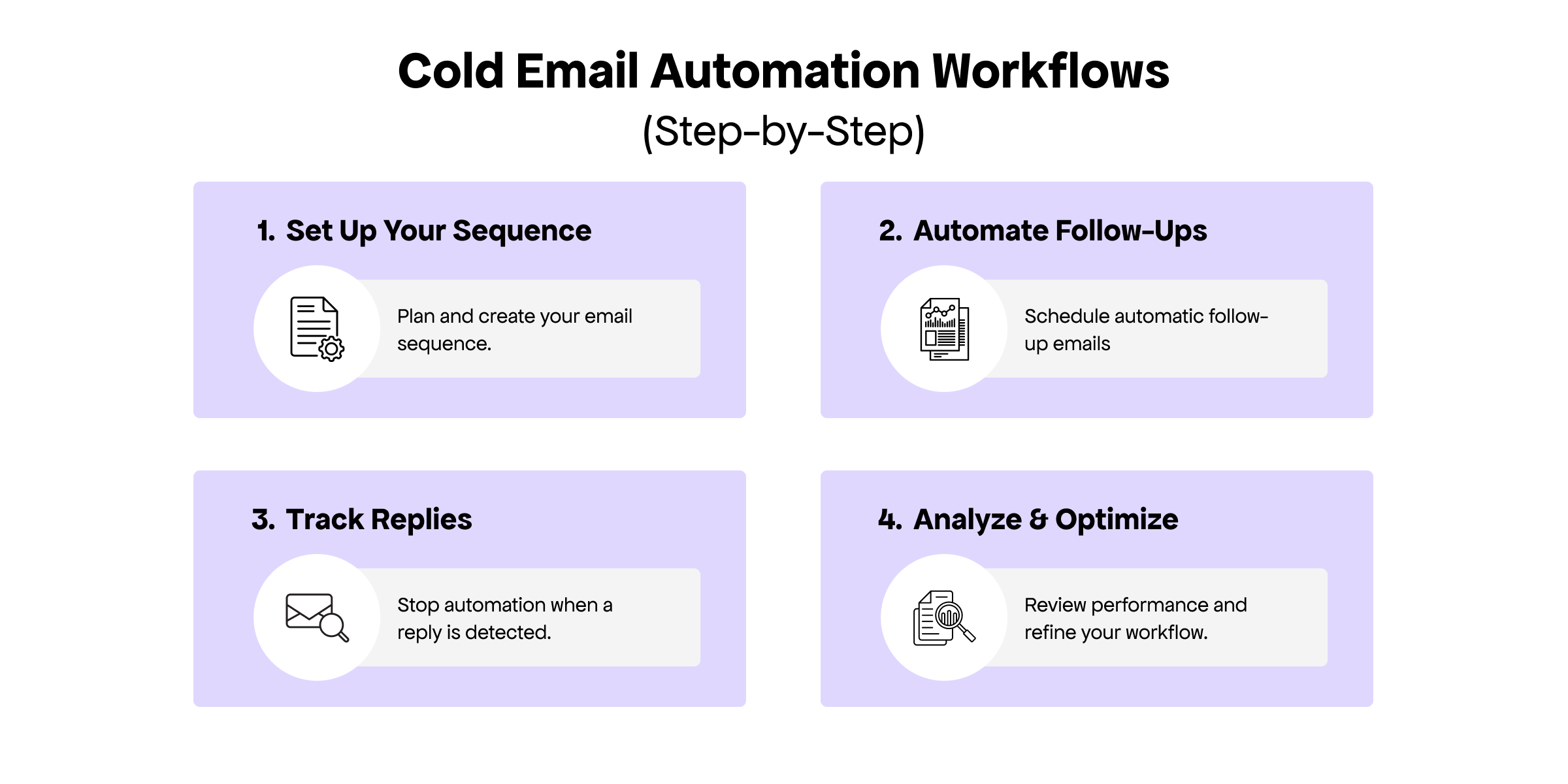
Start simple: one goal, four emails, clean list, verified domain. Run it, measure it, improve one thing at a time.
VitaMail’s free tools — AI Email Generator, Email Validator, Spam Checker, and SPF Checker — support every step of this workflow. No credit card required

