




When it comes to email deliverability, the Internet Protocol (IP) address you send from is your digital street address. It carries your sender reputation, which is the single most important factor determining whether your emails land in the inbox or the spam folder.
You have two primary options: Shared IP or Dedicated IP. The right choice depends entirely on your sending volume, consistency, and need for control.
1. Shared IP: The Community Approach
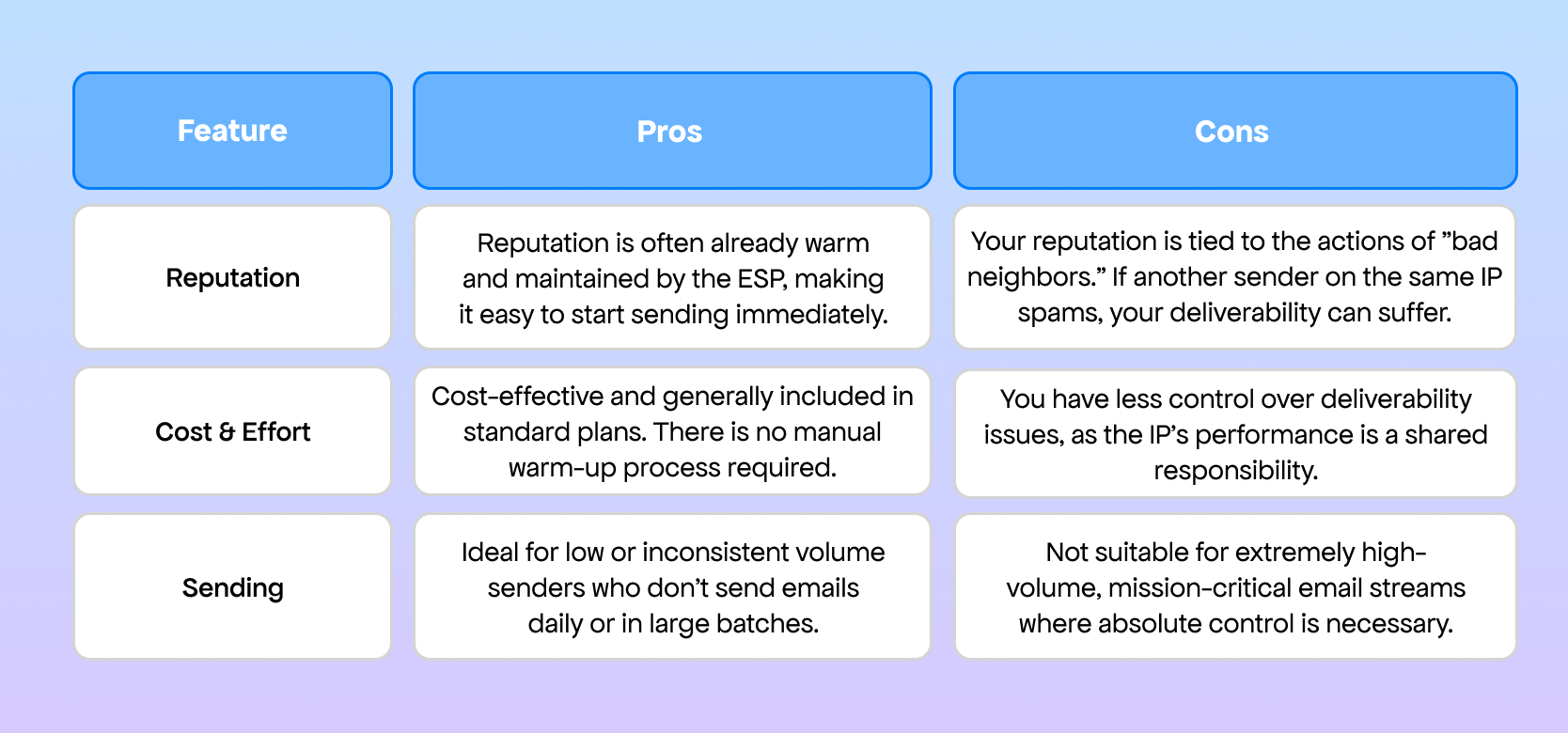
A Shared IP is an address used by many different senders (and their lists) within an Email Service Provider (ESP) like Vitamail.
Pros and Cons of a Shared IP
2. Dedicated IP: Your Own Private Road
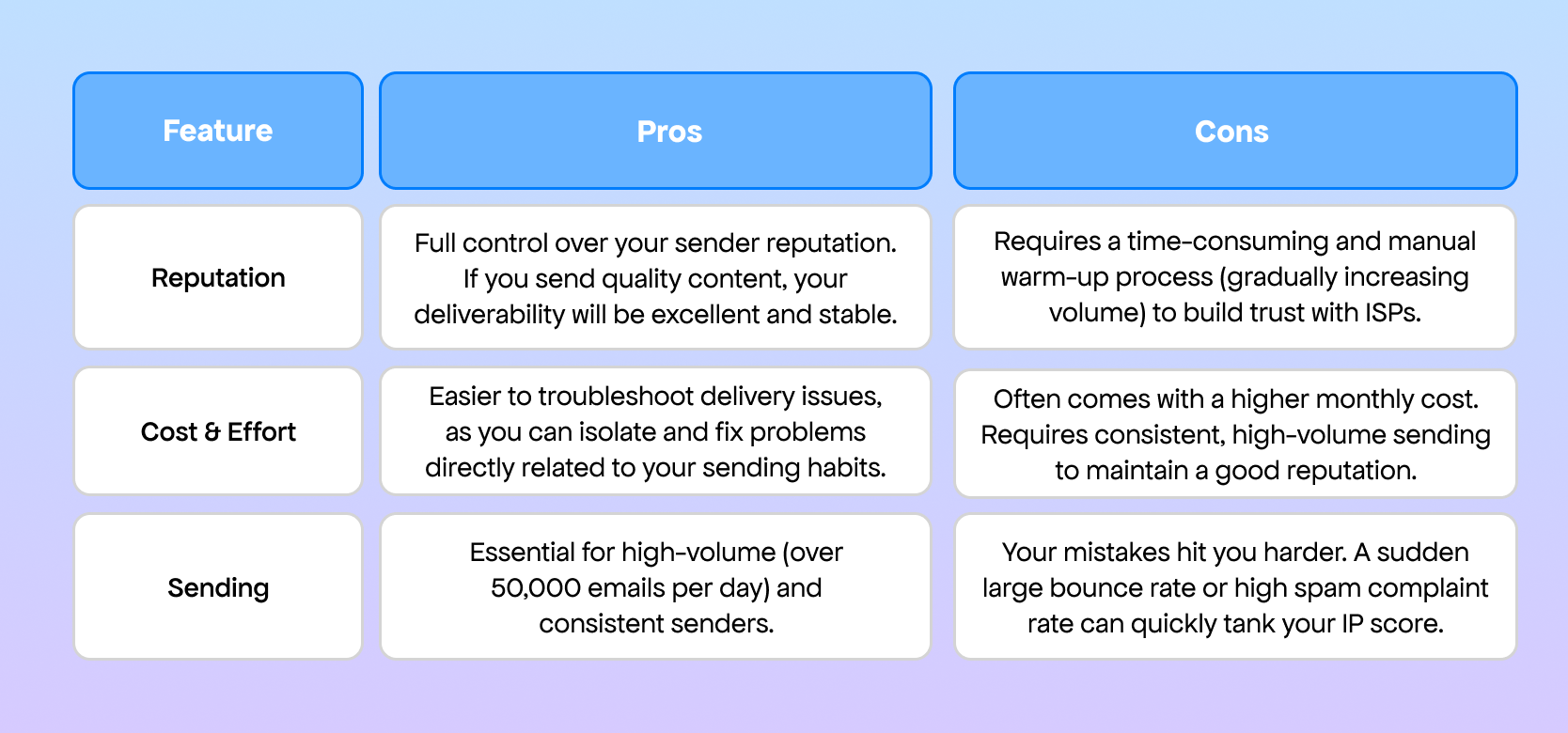
A Dedicated IP address is reserved exclusively for your email sending. You are solely responsible for building and maintaining its reputation.
Pros and Cons of a Dedicated IP
3. Which IP is Right for Your Business?
The decision should be driven by your volume, consistency, and business model.
For Small Lists (Under 10,000 Subscribers or Inconsistent Senders)
The Answer: Shared IP
- Why: If you send under 50,000 emails per month, or if your sending is sporadic (e.g., once a week or only for promotions), a dedicated IP is a detriment. You won't send enough volume to keep a dedicated IP "warm," and the reputation will decay. A Shared IP allows you to benefit from the consistently high volume sent by your ESP's other reputable users.
- Focus: Save money and let your ESP manage the hard work of IP health.
For Growing SaaS Companies (Transactional & High-Volume)
The Answer: Transition from Shared to Dedicated IP
- Phase 1 (Start-up/Growth): Begin with a Shared IP to quickly establish initial deliverability without the warm-up headache.
- Phase 2 (Maturity): Once your daily sending volume becomes large (e.g., consistently over 50,000 emails/day) and you have a low spam complaint rate, transition to a Dedicated IP.
- Why: SaaS companies rely on mission-critical transactional emails (password resets, invoices, activation links). A Dedicated IP provides the maximum isolation and stability for these crucial emails, ensuring they always hit the inbox, regardless of what other marketers are doing on a shared pool.
- Focus: Control over critical delivery.
For Agencies (Managing Multiple Clients)
The Answer: A Mix, but Dedicated is Often Superior for Key Clients
- Why: Agencies manage diverse sending streams. The biggest risk for an agency is cross-contamination. If one client's poor list management on a Shared IP hurts the reputation of another client's mission-critical email stream, the agency takes the blame.
- Recommendation:
- Use Dedicated IPs for any client with high volume, strict brand sensitivity, or a history of needing high deliverability. This isolates their reputation completely.
- Use the Shared IP pool for smaller, lower-volume, or less crucial clients where cost savings are a priority.
- Focus: Risk mitigation and client-specific control.

