




If you're asking why are my emails going to spam, you're not alone. It's one of the most common and frustrating problems in cold outreach. The average deliverability rate across industries sits below 85%, meaning roughly 1 in 6 emails never reaches its destination.
Spam filters are silent. They don't warn you. They just quietly reroute your message to junk, and your prospect never knows you tried. By the end of this guide, you'll understand exactly why emails go to spam and have a concrete fix for each cause.
How spam filters actually work
Every email you send is evaluated in milliseconds by a spam filter before it reaches an inbox. These filters aren't looking for one thing they're scoring your email across four broad categories:
- Sender authentication — Can they verify that you are who you say you are?
- Sender reputation — What's your track record? Bounce rate? Spam complaints?
- Content signals — Does your email look like spam? Any trigger words or suspicious patterns?
- Engagement history — Have your past recipients been opening and clicking, or ignoring and deleting?
Fail enough of these checks and your email goes straight to junk no matter how good your copy is. The good news: every one of these is fixable.
The main reasons your emails go to spam
Here are the six most common reasons why emails go to spam and what's actually going wrong under the hood for each one.
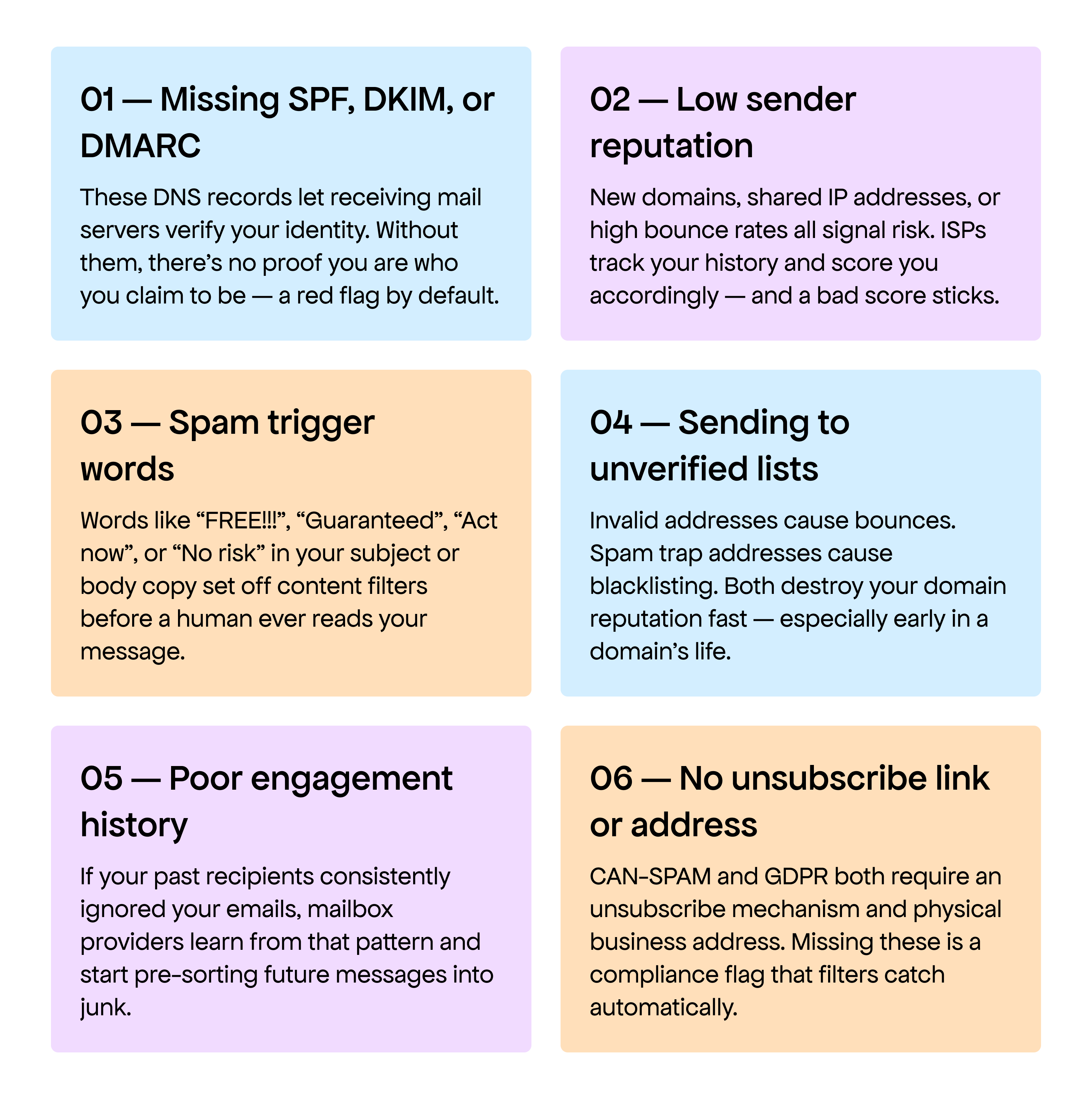
Quick self-check: If you're wondering why my emails go to spam even though my content looks fine, the culprit is usually authentication or reputation, not copy. Check those first.
How to fix it — Step by Step
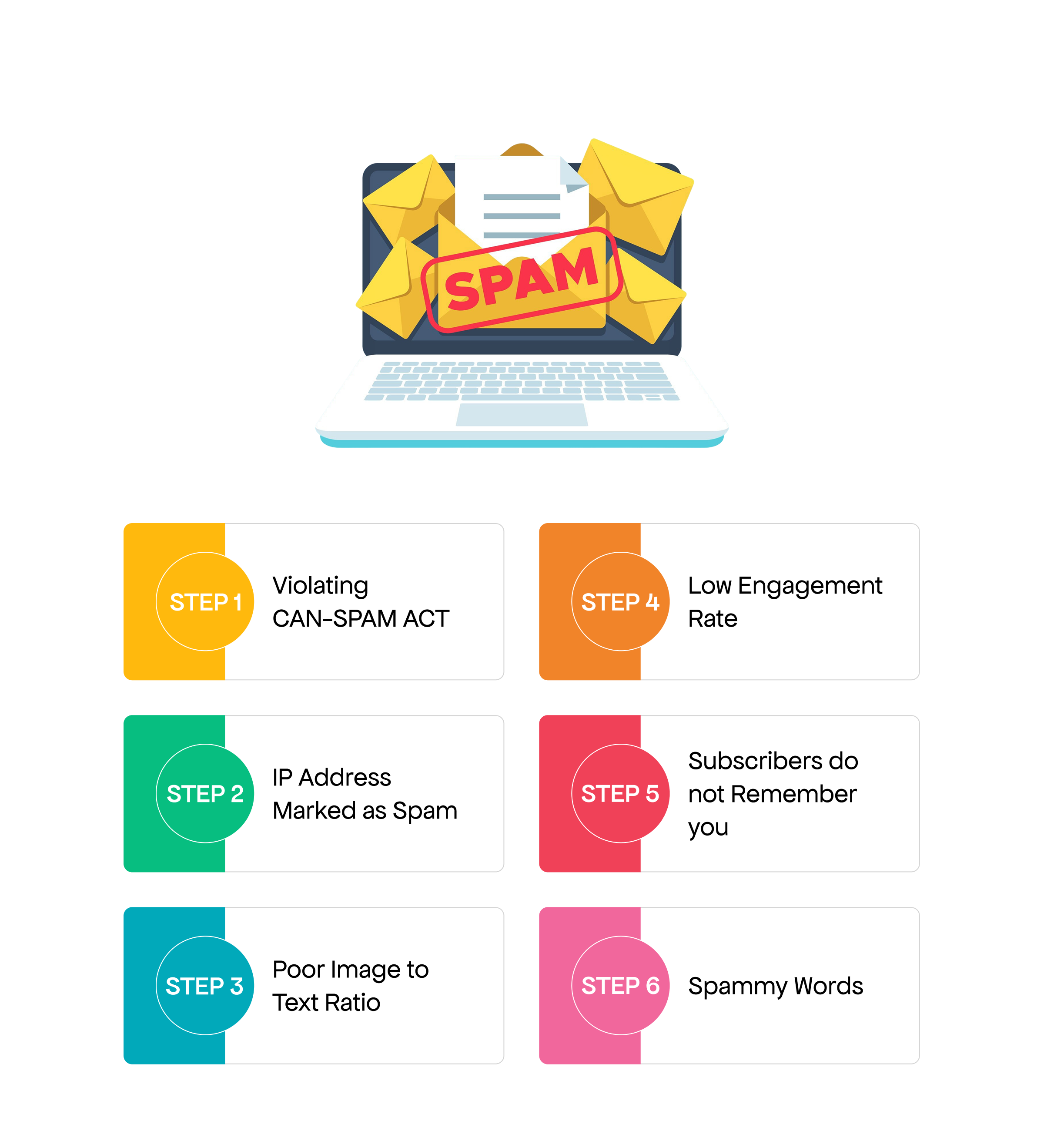
Here's the exact order of operations to stop emails from going to spam. Work through these in sequence the earlier steps have the biggest impact.
- Set up SPF, DKIM, and DMARC records. Log into your DNS provider (GoDaddy, Cloudflare, Namecheap, etc.) and add these three records for your sending domain. Your email provider (Google Workspace, Outlook, etc.) will give you the exact values to paste in. This single step fixes a significant percentage of deliverability issues.
- Warm up your sending domain gradually. Don't blast 500 emails from a new domain on day one. Start with 20–30 emails per day, ramp up over 4–6 weeks. Cold domains sending at high volume immediately are nearly always flagged. Tools like Mailreach can automate this process.
- Validate your email list before every campaign. Remove invalid addresses, role-based emails (info@, support@), and catch-all domains. A clean list keeps your bounce rate below 2% — the threshold above which most ISPs start penalizing your reputation.
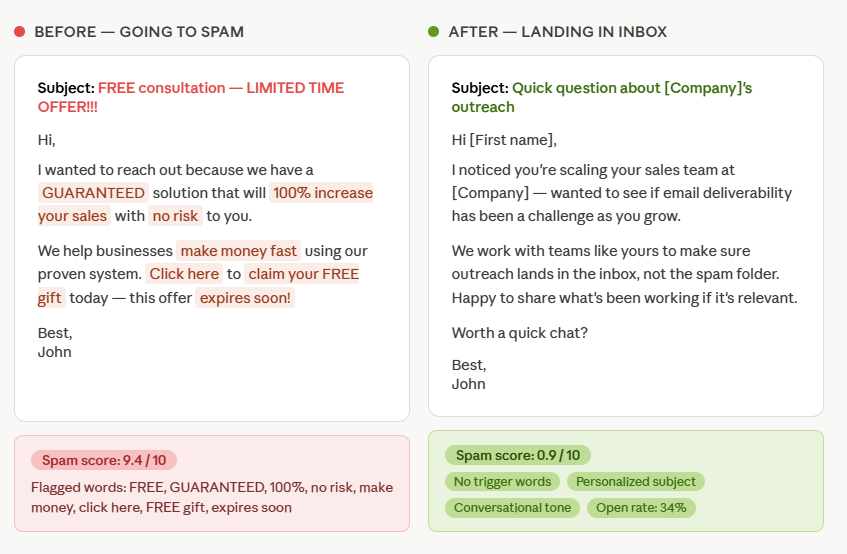
- Rewrite your subject line. Drop urgency language, excessive punctuation, and promotional framing. Write it like a colleague would — specific, human, and relevant to the person you're contacting. A subject like "Quick question about [Company]'s outreach" outperforms "ACT NOW — Limited Time Offer!!!" every single time.
- Run your email through a spam checker before sending. Before any campaign goes out, paste your subject and body into an email spam checker tool. It will flag trigger words, score your content, and tell you exactly what to fix. VitaMail's Email Content Checker does this in about 30 seconds — free, no account needed.
- Monitor your sender score regularly. Use Google Postmaster Tools and MXToolbox to keep an eye on your domain and IP reputation. Catching a problem early is far easier than recovering from a blacklist.
How to test if your emails are going to spam
Knowing the rules is one thing testing your actual email is another. Before you send your next campaign, paste your subject line and body below. VitaMail's spam checker scans for trigger words, scores your content, and tells you exactly what to fix.

Pro tip: Results in ~30 seconds. If your score is above 4, work through the flagged items before sending. Even removing one or two trigger phrases can dramatically improve inbox placement.
Real Before/After: the same email, two very different outcomes
Here's a real-world example of a cold email that was landing in spam — alongside the rewritten version that achieved a 34% open rate. The offer didn't change. The targeting didn't change. Only the words did.
If your emails are going to spam, start here: authenticate your domain (SPF, DKIM, DMARC), warm up gradually, clean your list, and strip out promotional language. Those four steps alone will fix most deliverability problems.
If you want to know whether a specific email is safe to send before it goes out — that's exactly what VitaMail's spam checker is for. Paste in your subject and body, get your score in 30 seconds, and fix what needs fixing before a single email leaves your outbox.
Stop guessing. Know before you send.
Run your next campaign through VitaMail's Email Spam Checker and make sure it lands in the inbox — not the junk folder.


