





Tired of your emails going straight to spam or bouncing back entirely?
You’re not alone. Email marketers, founders, and sales teams all face the same frustrating issue—low deliverability caused by invalid or outdated email addresses. If you're serious about running effective campaigns, using one of the best email validation tools is no longer optional—it's essential.
In 2026, with inboxes more competitive than ever, validating your list before sending a campaign could mean the difference between hitting the spam folder or landing in the inbox. That’s why we tested and reviewed the top email list cleaning tools for startups, small teams, and growing companies.
In this guide, you'll find real-time email address validation tools, low-cost options, and email validation services with free trials—so you can validate email lists before sending a campaign and boost results without blowing your budget.
Whether you're looking for email deliverability tools for small companies or just wondering how to validate email addresses for email marketing, you’re in the right place.
Why Email Validation Matters in 2026
Email marketing remains one of the highest-ROI marketing channels—but only if your messages reach valid contacts.
Without email validation, you risk:
- High bounce rates that damage your sender score
- Being blacklisted by inbox providers
- Wasted ad spend and lost opportunities
- Poor campaign performance and low open rates
Using the best email validation tools for small businesses helps maintain a healthy list, improve inbox placement, and keep your reputation intact.
What Makes a Good Email Validation Tool?
Not all email validation tools are created equal. When choosing affordable email validation software for small teams, look for these features:
Accuracy
When choosing an email validation tool, accuracy is the most critical factor. The tool should detect invalid email addresses, disposable emails, and catch-all addresses with high success rates. If a tool fails to properly validate addresses, you could end up sending emails to inboxes that don’t exist or are being ignored, causing your campaign to suffer.
Use Case:
Imagine you are running a marketing campaign for a new product launch. You send out emails to a list of 10,000 potential customers, but many of the emails are invalid. As a result, your bounce rate skyrockets, and you see a significant drop in engagement. Worse yet, your sender reputation takes a hit, and your emails are now flagged by spam filters.
Solution: A reliable email validation tool detects disposable email addresses (e.g., temporary emails) and catch-all domains (e.g., “@gmail.com” used by a variety of users) that could cause damage. By cleaning your list ahead of time, you significantly reduce bounce rates and ensure your emails reach real, engaged customers.
According to a study by Return Path, 21% of email subscribers are invalid or inactive. That’s one out of every five emails that could damage your sender reputation or harm your deliverability.
Speed
Speed is essential for those who work with large email lists or have time-sensitive campaigns. A fast validation process can help you clean a list of thousands of emails within minutes, ensuring you don’t lose time or opportunities, especially when a campaign launch is just around the corner.
Example:
Let’s say you’re running a flash sale that only lasts for 24 hours. You need to send an email to 20,000 customers but realize that your list is outdated and includes invalid addresses. If your validation tool takes too long to process, you risk missing out on the sale window.
Solution: Choose a tool that provides real-time email address validation with processing speeds measured in seconds per email. This ensures you get quick results, allowing you to send your emails to only valid addresses and maximize your campaign’s chances of success.
Email validation tools like VitaMail can process up to 10,000 emails in 2–3 minutes. Tools that take longer than 10–15 minutes for large lists could be slowing down your overall workflow.
Integrations
No email validation tool should operate in a silo. Integrations with CRMs, Email Service Providers (ESPs), and outreach platforms are essential to streamline your workflow, save time, and automate list cleaning. If you’re working in tools like HubSpot, Salesforce, or Mailchimp, it’s vital that your validation tool integrates seamlessly with these platforms.
Use Case:
Imagine you are running an automated email campaign using HubSpot. You collect leads through forms on your website and need to clean those leads before adding them to your database. Manually uploading and validating the list through a separate platform would not only slow you down but also create opportunities for errors.
Solution: An email validation tool like NeverBounce or ZeroBounce integrates directly with HubSpot, ensuring that your leads are validated in real-time as soon as they’re entered into the system. This eliminates manual work and helps you keep your database clean without extra steps.
According to Salesforce, companies that use integrated platforms see a 25% increase in operational efficiency. This is especially important when verifying large lists of leads.
Reporting
Clear, actionable reporting is one of the most underrated but important features of email validation tools. A tool should provide you with status categories (valid, invalid, risky, etc.) and confidence scores to help you make data-driven decisions about which emails to keep and which to discard.
Example:
Let’s say you’ve validated a list of 5,000 email addresses, but you’re unsure about which ones are on the verge of being invalid (e.g., email addresses that might soon be deactivated). Without clear reporting, you risk sending emails to these addresses, which could result in future bounces.
Solution: A robust reporting system categorizes email addresses into valid, invalid, disposable, and unknown, with confidence scores for each address. Tools like VitaMail provide this level of granularity, helping you clean your list intelligently.
Research from Mailchimp shows that segmenting your email list based on quality (validated, risky, invalid) can improve open rates by up to 50%.
Pricing and Free Trial
Pricing should be transparent and adaptable to your needs. Pay-as-you-go plans or monthly subscriptions allow flexibility based on the size of your list or usage frequency. It's also crucial to offer a free trial or free credits so you can test the tool's effectiveness before committing to a subscription.
Use Case:
As a small business owner, you don’t want to spend thousands on email validation if you’re only cleaning a small list once a month. You need an option that allows you to pay only for what you use, without overpaying for features you won’t need.
Solution: Many tools like VitaMail offer pay-as-you-go plans starting at as low as $0.001 per email, allowing small teams to verify email lists before sending campaigns without breaking the bank. Additionally, a free trial lets you test the tool before committing, ensuring it works for your needs.
Our Testing Process
To bring you this guide, we tested nine popular email validation tools using the same method:
- Validated a list of 1,000 email addresses (including valid, invalid, catch-all, and disposable)
- Measured accuracy, processing speed, and ease of use
- Evaluated reporting quality, integrations, and customer support
- Reviewed real user feedback from sites like G2 and Capterra
This helped us separate marketing claims from actual performance, identifying the tools to reduce email bounce rates that truly work.
Who This Guide Is For
This article is written for:
- Small businesses and startup founders looking for low-cost email validation software in 2026
- Marketing teams who want to validate email addresses for email marketing campaigns
- Sales teams focused on cold outreach and CRM cleanup
- Agencies handling multiple client campaigns
- Anyone in need of email deliverability tools for small companies
1. VitaMail – Best for Affordability and Speed
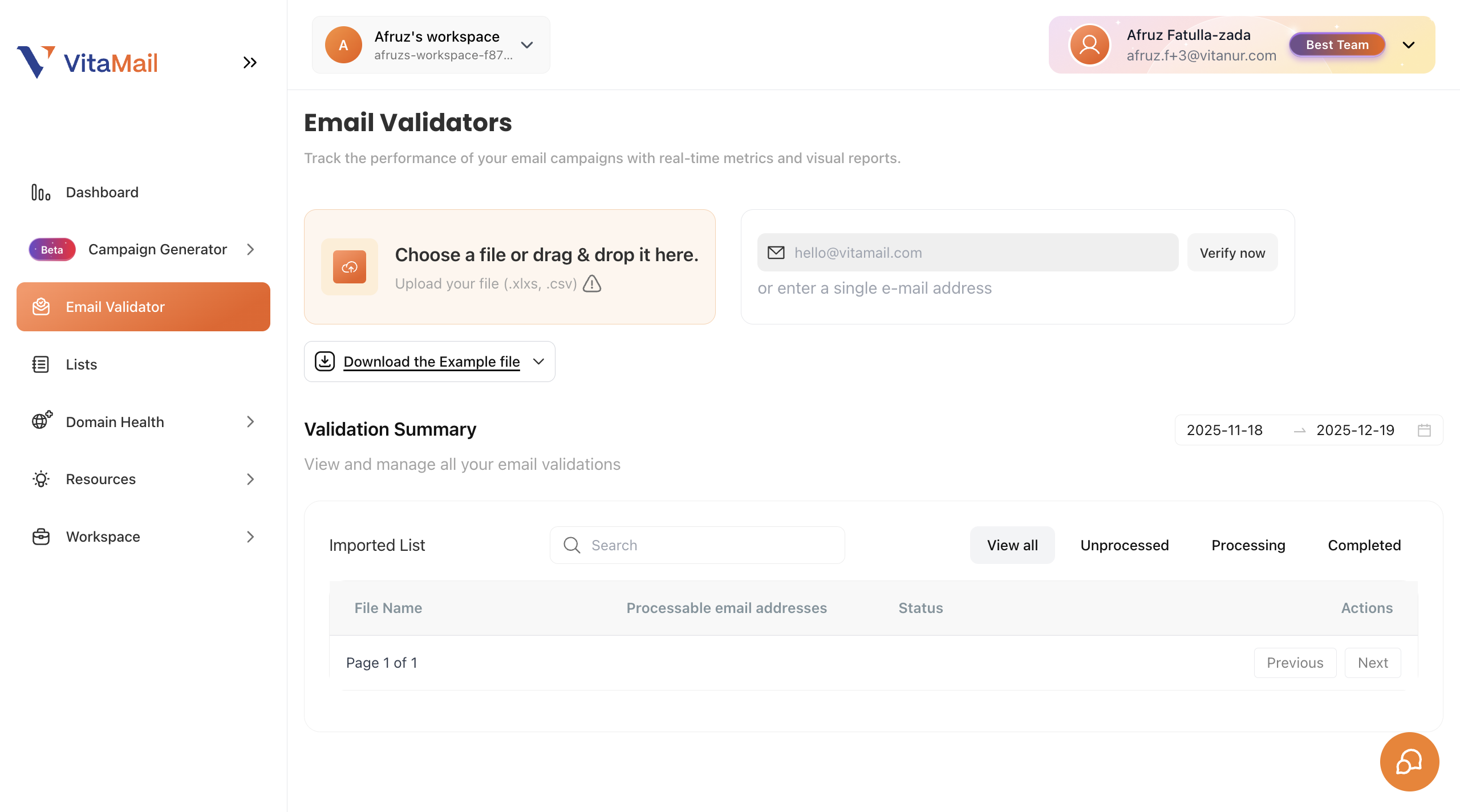
VitaMail stands out as one of the most affordable email validation tools for small teams, offering fast results, accurate detection, and a simple interface. Built with cost-conscious businesses in mind, it’s perfect for startups, agencies, or marketers looking to validate email lists before sending a campaign without burning through their budget.
Key Features:
- Single and bulk email validation
- Detection of syntax errors, disposable domains, role-based emails, and spam traps
- Dashboard with actionable reports and download options
- 1,000 free credits upon signup
Our Test Results:
- Accuracy: 99.8%
- Speed: Validated 1,000 emails in under 2 minutes
- Pricing: Starts at $0.001 per email (one of the most affordable in the market)
Pros:
- Extremely low cost per credit
- Intuitive dashboard, easy to use even for non-technical users
- Free credits with no credit card required
- Responsive support for small teams
Cons:
- Lacks some of the advanced integrations available in premium tools
Best For:
Startups, solopreneurs, and small marketing teams who need reliable email validation on a tight budget.
2. NeverBounce – Best for Enterprise Accuracy
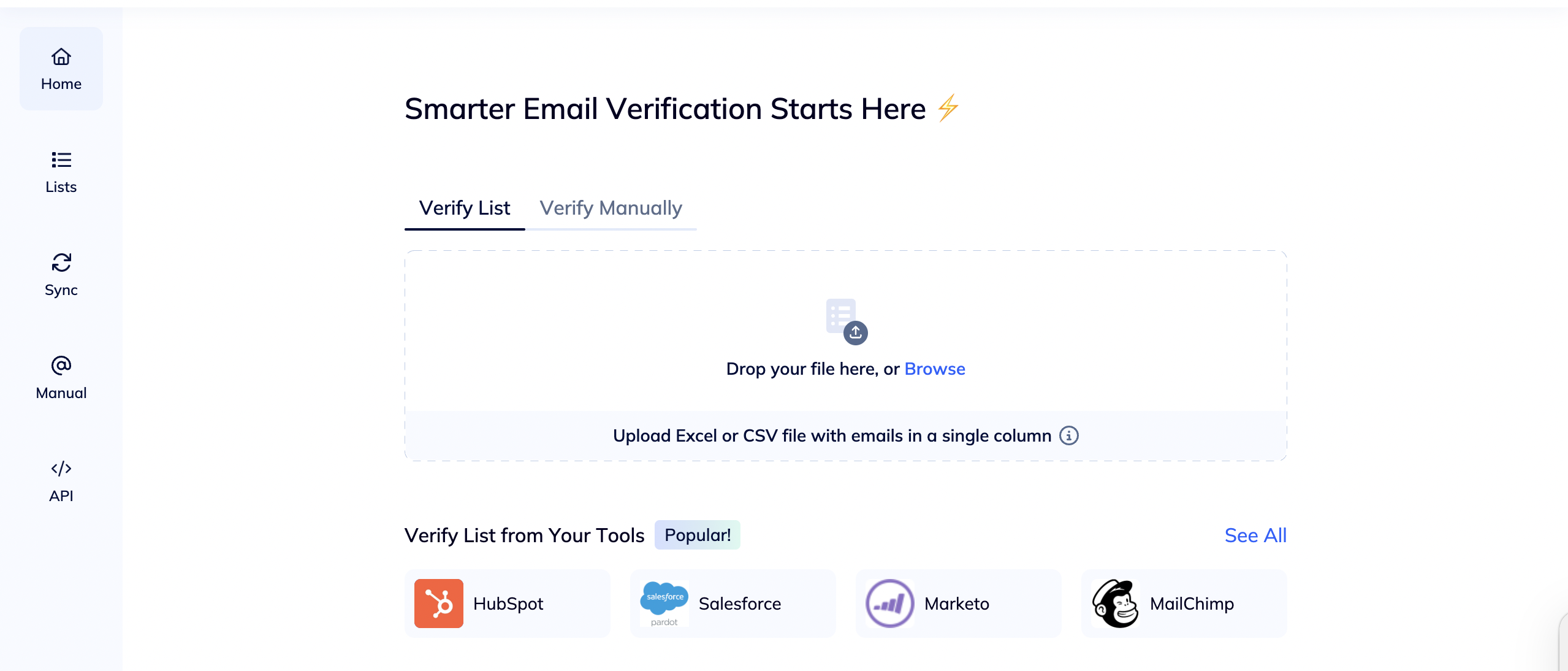
NeverBounce has been a major player in the email validation space for years, known for its enterprise-grade accuracy and robust cleaning tools. It’s designed for companies that need strict compliance and list hygiene to meet inbox placement goals at scale.
Key Features:
- Bulk and real-time validation
- Catch-all and disposable email detection
- Auto-removal of invalid entries from integrated CRMs
- Trusted by enterprises and marketing agencies
- Supports Zapier, HubSpot, and Mailchimp integrations
Our Test Results:
- Accuracy: 99.9%
- Speed: 100,000 emails validated in ~45 minutes (0.027s/email)
- Pricing: Starts at $0.008 per email (pay-as-you-go)
Pros:
- One of the most accurate tools tested
- Ideal for cleaning large lists and enterprise-grade campaigns
- Strong CRM and email tool integrations
- Live support and onboarding assistance
Cons:
- No free trial or credits
- Slightly outdated UI compared to competitors
- Higher price point than tools like VitaMail or Emailable
Best For:
Large businesses, nonprofits, and agencies managing high-volume email campaigns with strict quality requirements.
3. Emailable – Fastest Email Validator
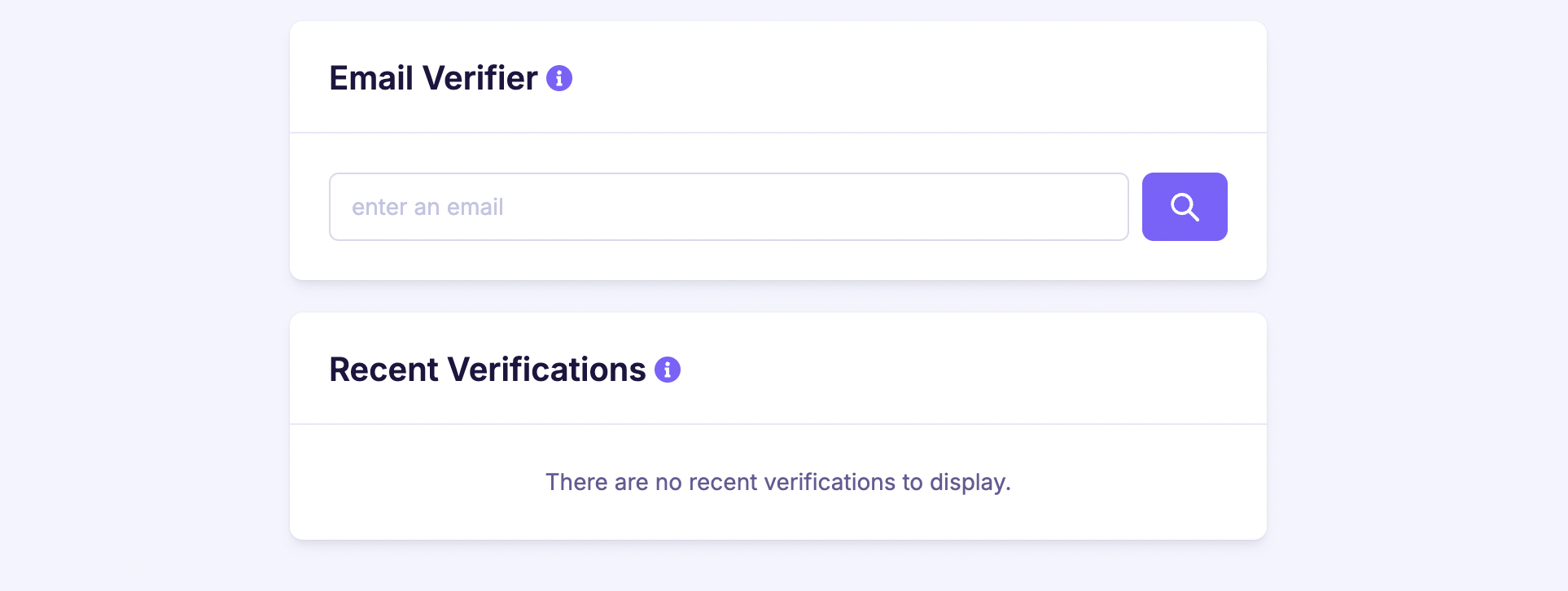
Emailable is a high-speed tool with a clean interface and robust integrations. With the ability to process 10,000 emails in just a few minutes, it’s a go-to option for teams needing fast turnaround times for last-minute campaigns.
Key Features:
- Bulk, single, and real-time validation
- Works with CSV, Excel, and direct integrations (like Mailchimp)
- Over 90 native integrations
- Dashboard with detailed deliverability scoring
Our Test Results:
- Accuracy: 99%
- Speed: Fastest in test (0.012 seconds/email)
- Pricing: Starts at 25.5€/month or 0.006€/email
Pros:
- Extremely fast processing
- Easy to set up and use
- Flexible import/export options
- Free plan available
Cons:
- Missed a few hard bounces in our test
- Some reporting terms were unclear without documentation
Best For:
Agencies or teams that frequently clean lists from various sources and need speed, flexibility, and a simple setup.
4. Clearout – Best for Google Sheets Integration
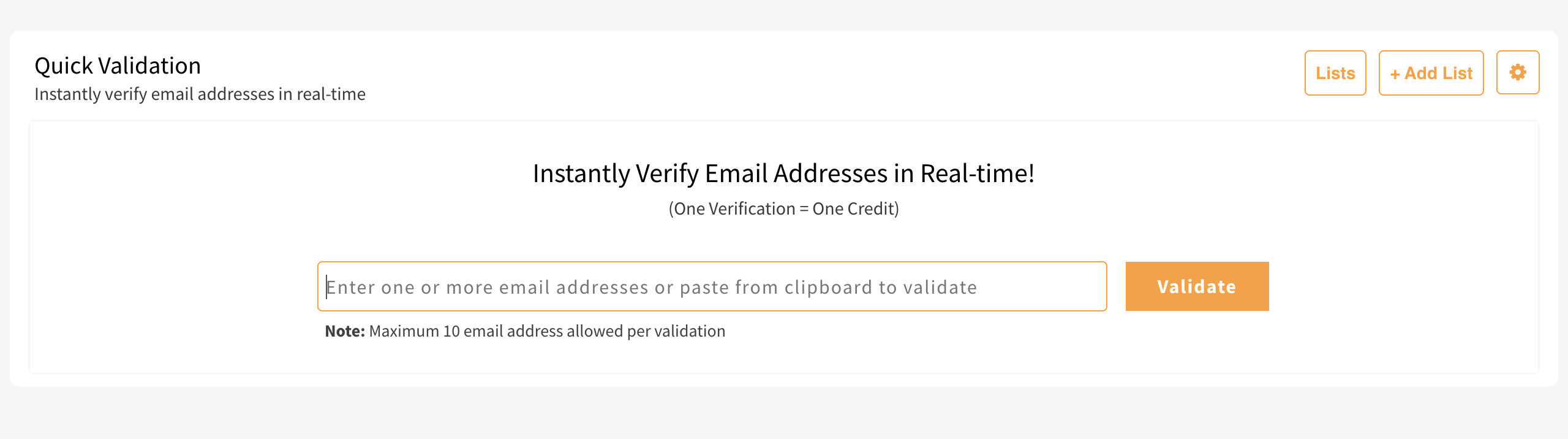
Clearout is a powerful tool that combines accuracy with usability, making it a strong pick for marketers who rely heavily on spreadsheets. With support for Google Sheets and a Chrome extension for LinkedIn lead capture, it’s a solid choice for lead generation workflows.
Key Features:
- Over 20 validation checks including greylisting and MX record lookups
- Google Sheets add-on for direct validation
- Bulk and real-time email checking
- API access for developers
Our Test Results:
- Accuracy: 98%+
- Speed: 100,000 emails in ~45 minutes (0.027s/email)
- Pricing: Starts at $0.007 per credit or $31.50/month
Pros:
- Works directly inside Google Sheets
- Includes email finder and LinkedIn prospecting extension
- Accurate reporting and fast support
- Offers a free version for testing
Cons:
- Limited native CRM integrations (relies on Zapier for most)
- No built-in email campaign tools
Best For:
Marketing teams that use Google Sheets for list management and want to clean email lists directly from spreadsheets.
5. Hunter – Best for Lead Research and Validation
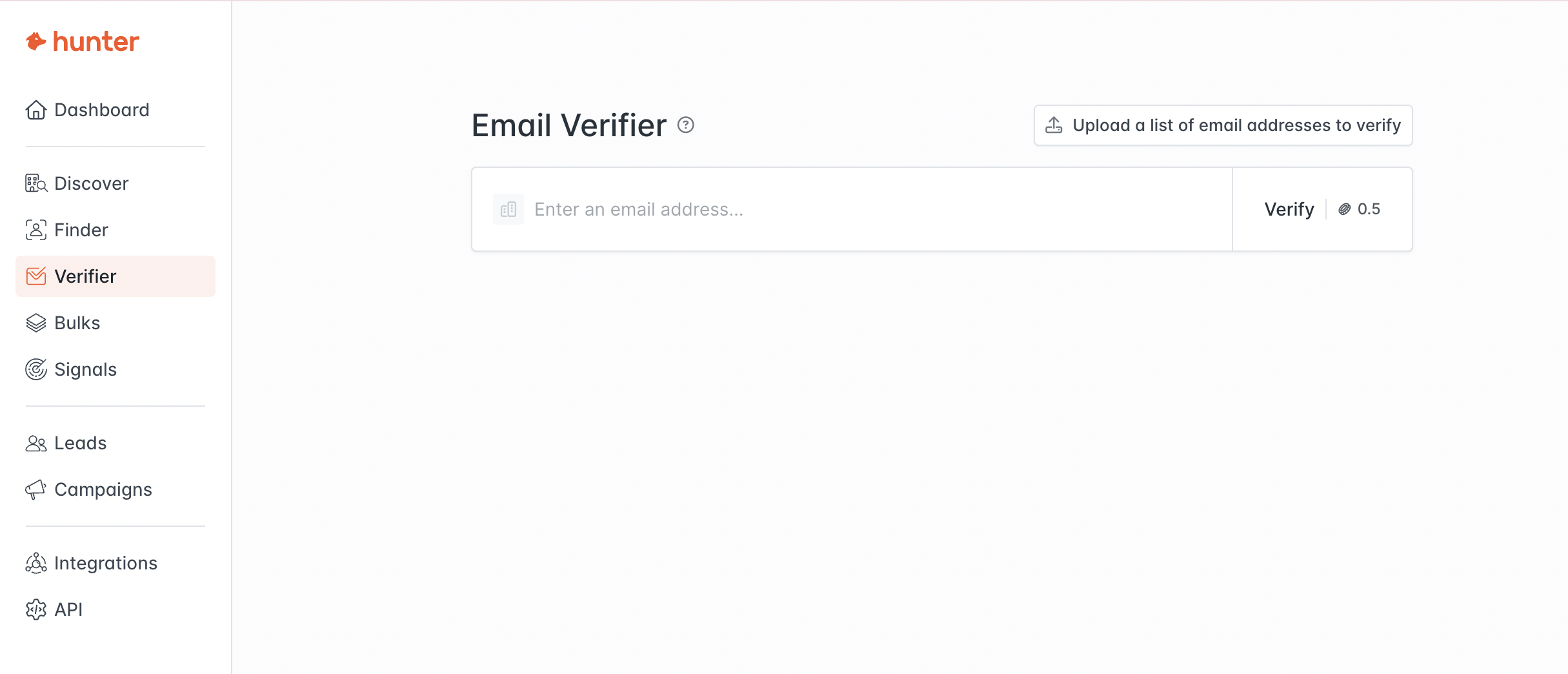
Hunter is a well-known tool in the outreach and lead-gen space. Beyond email validation, it’s also used to find professional email addresses and check their validity. It pulls from a large database and validates addresses through multiple checks, making it suitable for B2B teams.
Key Features:
- Email finder and validator in one
- Cross-checks addresses with public sources and web data
- Google Sheets and browser extension support
- Advanced mail server checks
Our Test Results:
- Accuracy: No official % published, but high consistency in tests
- Speed: Moderate
- Pricing: Starts at 34€/month
Pros:
- Extensive email discovery features
- Reliable validation for business domains
- Strong support and onboarding
- Multi-use tool for outreach teams
Cons:
- Higher pricing than most validation-only tools
- Interface occasionally buggy or slow
- Lacks granular validation breakdown
Best For:
Sales teams, recruiters, and outreach professionals who need to find and verify email addresses in one workflow.
6. Truelist – Safest Email Validation Tool

Truelist is an email validation tool designed to help businesses clean their email lists and improve deliverability. It uses multiple validation strategies, including SMTP checks, DNS verification, spam trap detection, and third-party data, to identify invalid and risky addresses. Unlike many email verification tools, Truelist also uses enhanced validation to handle catch-all domains instead of simply marking them as unknown.
Key Features:
- Multi-strategy email validation
- Catch-all domain verification
- Spam trap and disposable email detection
- Bulk email verification
- Real-time API and webhooks
- Integrations with Zapier, Make, and Clay
Our Test Results:
- Accuracy: 99,9%
- Speed: 100,000 emails verified in under 50 minutes
- Pricing: Starts at $1.40 per 1,000 emails on the pay-as-you-go plan, while unlimited validation plans start at $999 with a minimum commitment of 3 months.
Pros:
- High-quality multi-layer validation
- Unlike its competitors, Truelist offers unique unlimited monthly plans, as well as pay-as-you-go credits that never expire
- Handles catch-all domains more effectively
- Strong security and compliance standards
- Free validation for up to 100 emails
Cons:
- Advanced validation features may be more than casual users need
- Unlimited plans are primarily aimed at higher-volume users
Best for: Sales teams, marketers, and businesses that need reliable email verification while prioritizing deliverability, security, and data accuracy.
Summary: Which Email Validation Tool Is Right for You?
Choosing the best email validation tool depends on your needs, team size, and budget. Here’s a quick recap of our top picks:
- Need fast, affordable validation? Emailable and Clearout offer excellent speed and flexible plans.
- Running a startup or solo operation? Bouncer and VitaMail provide straightforward tools at a low cost.
- Enterprise-grade cleaning with integrations? NeverBounce and Hunter offer powerful features and compliance support.
- Working directly in spreadsheets? Clearout is a winner for Google Sheets users.
If you're simply looking for tools to reduce email bounce rates, any of these six will get the job done—but if you're after low-cost email validation software in 2026, focus on those with transparent pay-as-you-go pricing and free trials.
How to Choose an Email Validation Tool
Still not sure how to narrow it down? Here are some things to consider before choosing:
1. What’s your list size?
- For smaller lists or one-off cleanups, look for email validation services with free trials or credit-based plans.
- For high-volume senders, prioritize batch speed and advanced reporting.
2. Do you need integrations?
- If you’re using platforms like Mailchimp, HubSpot, or Salesforce, choose a tool with direct integration.
- For custom setups, ensure there’s API access or Zapier compatibility.
3. Do you need real-time validation?
- Real-time email address validation tools can stop bad emails from ever being added to your list.
- Ideal for sign-up forms, lead capture, and cold outreach tools.
4. Is your team non-technical?
- Tools like Bouncer and Clearout have very user-friendly dashboards.
- Avoid feature-heavy platforms if simplicity is your priority.
Conclusion
Validating your email list is one of the easiest ways to protect your sender reputation, improve deliverability, and increase ROI from your email campaigns.
All six tools we tested are reliable options for different use cases; some are best for small teams, others for power users. By taking the time to clean your list with the right platform, you’ll reduce bounces, improve open rates, and send with confidence.
Before you send your next campaign, take a few minutes to validate your email list. It’s a simple step that can save you time, money, and deliverability headaches down the line.
If you’re looking for an affordable, fast, and user-friendly email validation tool, VitaMail is the perfect solution for small businesses and startups.

Start with 1,000 free credits and see how VitaMail can help you improve your deliverability and reduce bounce rates, all while keeping costs low.

