




Did you know that a GoDaddy survey found 75% of small and medium businesses say a branded email address boosts customer trust?
Still, walk into a local shop and you’ll often see a Gmail or Yahoo address on business cards.
The good news: in 2026, you don’t need to spend a lot on a professional email. Several free business email providers now give startups and small teams the credibility they deserve. A few even include a free domain to make things easier.
We’ve tested the top options and compared features side by side. The results might surprise you. Let’s look at what actually works.
Why Your Business Email Address Actually Matters
Think about it. If you get an email from john.doe@awesomeconsulting.com versus john.doe123@gmail.com, which one feels more professional? The answer is clear.
Professional credibility is just the beginning. A proper business email setup also improves email deliverability. With features like SPF and DKIM, your messages are less likely to be classified as spam. Spam filters, especially on Gmail, have become increasingly strict. Personal accounts are often flagged when used for business purposes.
There’s also brand consistency. When your email domain matches your website, everything feels unified. Customers remember you more easily, and you build authority with every interaction.
Finally, for startups and small businesses, free business email with domain options means real savings. You can avoid paying hundreds in annual email fees while still looking professional. That’s money better spent on marketing, tools, or growth.
How to Pick the Right Email Provider
Before we get into specific recommendations, let’s clear what “free” really means
- Free forever means you can use the service indefinitely without paying.
- Freemium trials give you full features for a set time, then ask you to upgrade or cut back features.
Both models can work. The key is to match them with your needs.
Here are the main factors to consider when choosing a free or freemium business email provider:
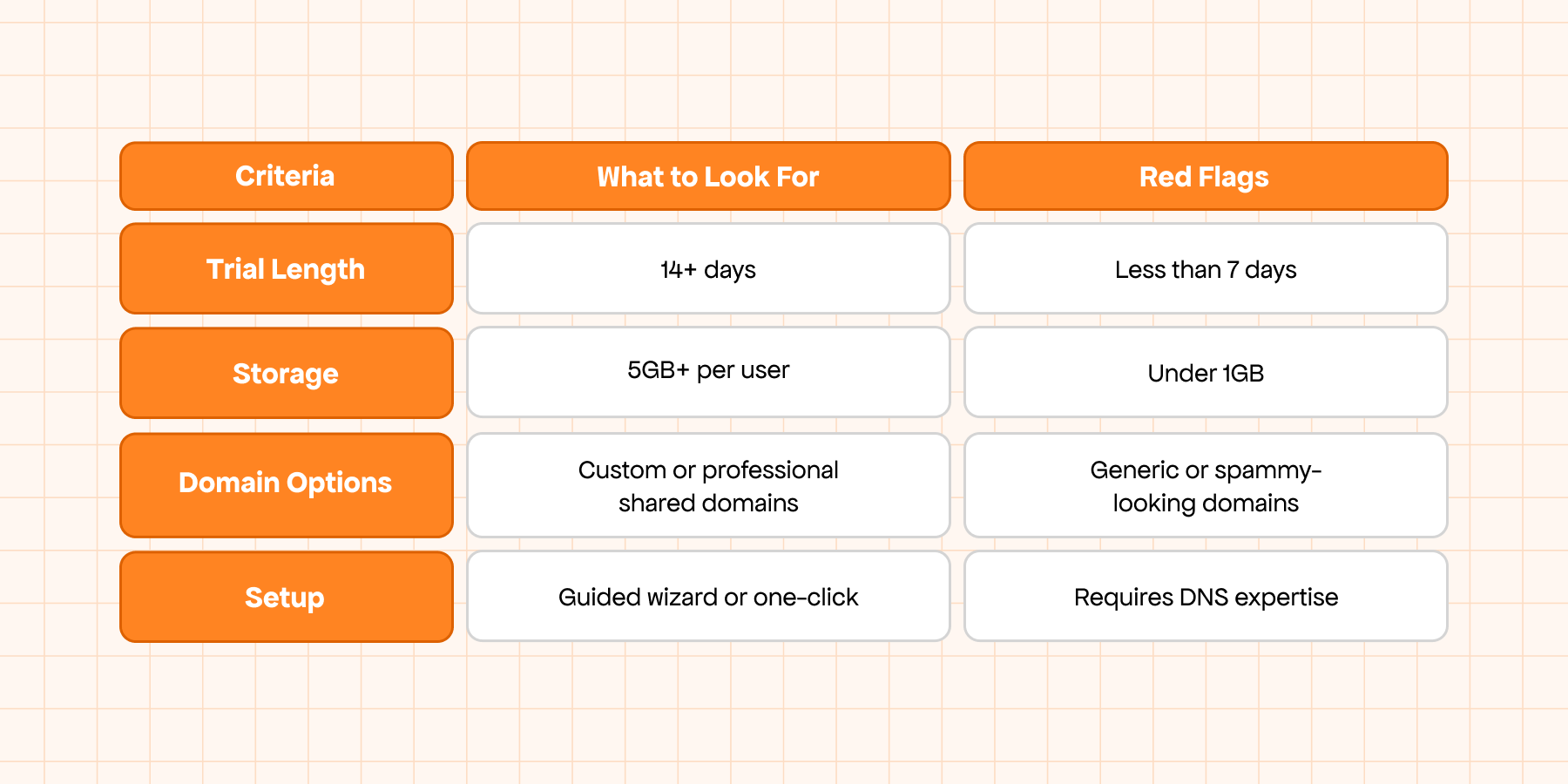
- Storage and user limits: Some services give you massive storage, but only one mailbox. Others allow multiple users but cap total storage at 1GB. Always check what you’ll actually get.
- Domain options: Providers vary. Some include a custom domain (like yourcompany.co.site). Others let you choose from shared professional domains (like @consultant.com). A few require you to bring your own.
- Security features: Expect basics like spam filtering and antivirus. That’s fine for most small businesses, but if you handle sensitive data, you’ll want more advanced protection.
- Setup complexity: Some providers have you ready in five minutes with a simple wizard. Others require DNS edits that can frustrate non-technical users.
Here’s a quick checklist to help you spot what’s worth your time and what’s a red flag:
Best Free & Freemium Business Email Providers With Free Domain in 2026
After reviewing dozens of services claiming to offer free business email with domains, only a few passed the test. Most either ask you to bring your own domain or hide costs behind confusing terms. The three providers below actually deliver both email and domain access.
Neo Mail — Best Freemium All-in-One (15-Day Trial + Free Domain)
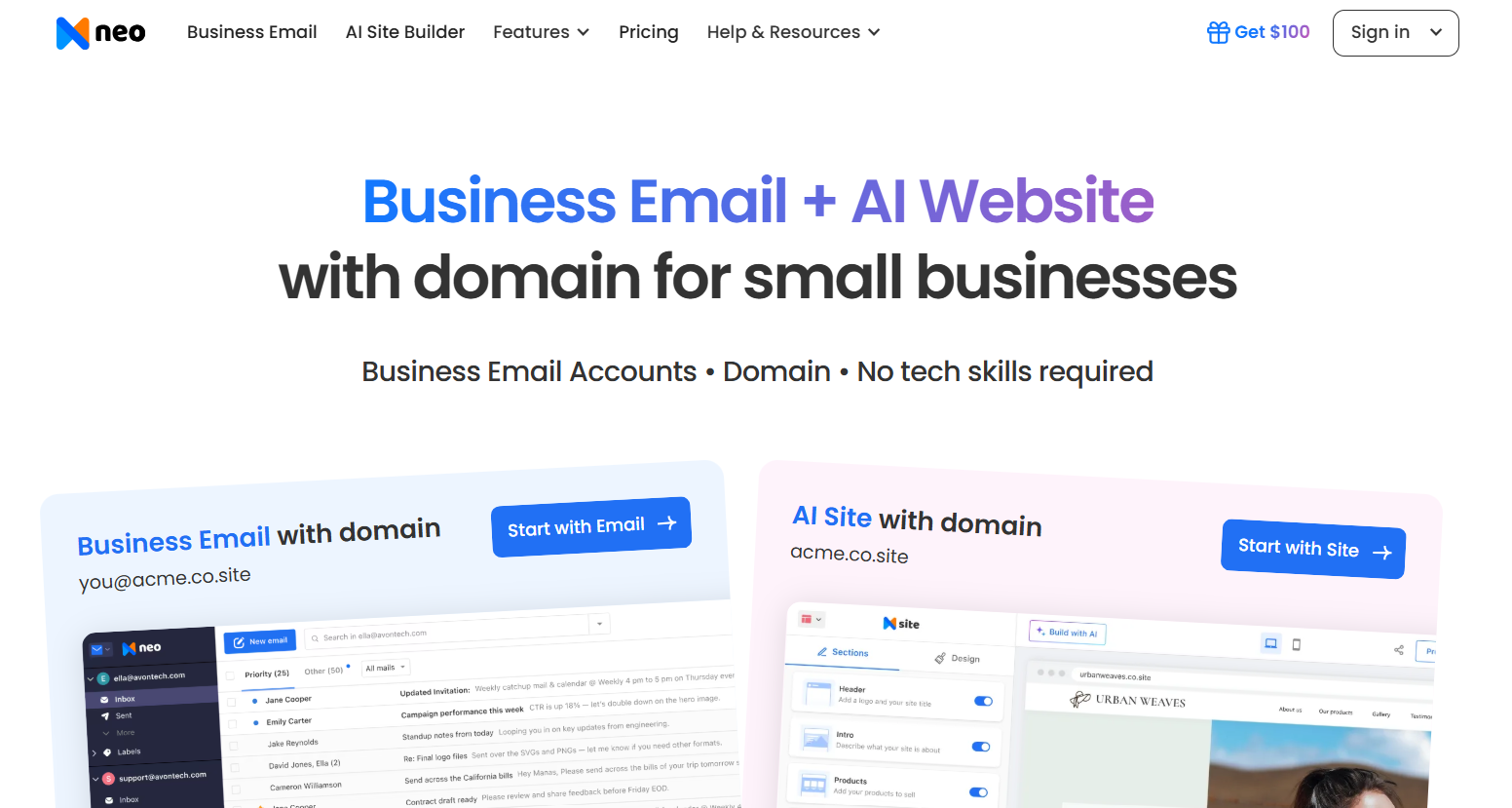
Neo Mail is the fastest way to look professional online. Their 15-day free trial includes everything: a custom .co.site domain, one business email, and even a simple website. Setup takes minutes, and the interface feels modern and easy to use.
Pricing: Free for 15 days. Paid plans start at $1.99/month after the trial.
Key Features:
- Custom .co.site domain (yourbrand.co.site)
- 10GB email storage
- One-page website builder
- AI-powered email writing and templates
- Read receipts and delivery tracking
- Calendar and appointment scheduling
- Mobile apps for iOS and Android
Strengths:
- Complete business setup in under 10 minutes
- Clean, intuitive design
- Helpful support during trial
Limitations:
- Free access limited to 15 days
- One user only on the trial
- Domain tied to active subscription
Best For: Startups and solo founders who need a polished business identity fast, and are open to paying a small fee after the trial.
Mail.com — Best Free Forever Option (Shared Professional Domains)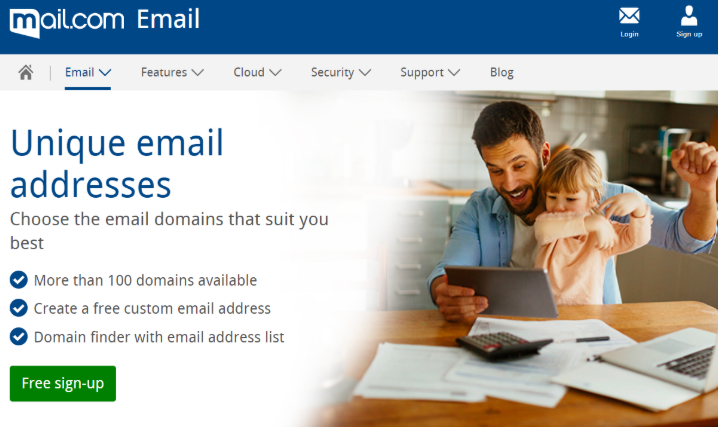
Mail.com has been around for years and remains one of the most generous free services. You can choose from 200+ professional domain names such as @consultant.com or @usa.com. Storage is huge, and accounts never expire.
Pricing: 100% free forever (ad-supported). Premium removes ads and adds extras.
Key Features:
- 200+ shared domain options
- 65GB storage (largest free allocation)
- Up to 10 aliases per account
- Mail collector to pull in external accounts
- Calendar and address book included
- Spam and virus protection
- Mobile apps with offline access
Strengths:
- No time limits, free forever
- Storage beats many paid providers
- Stable, established reputation
Limitations:
- No true custom domains
- Ads in the free version
- Basic support for free users
Best For: Freelancers and consultants who need a professional-looking email for the long haul but don’t want to pay for a custom domain.
GoogieHost — Best for Technical Users (Free Forever, BYO Domain)
GoogieHost is a niche choice. It’s free forever and includes unlimited email storage, but you must bring your own domain. The setup is technical, and accounts are capped at two per domain. In return, you also get free web hosting and SSL.
Pricing: Free forever. No upsells, no trial.
Key Features:
- Unlimited email storage
- Support for your own custom domain
- 2 email accounts per domain
- Free SSL certificates
- Basic web hosting included
- Spam and virus protection
- Control panel for advanced setup
Strengths:
- No storage limits
- Hosting and SSL bundled in
- Full control for advanced users
Limitations:
- Must already own a domain
- Setup requires technical skills
- Only 2 accounts allowed
Best For: Tech-savvy small businesses or side projects that already manage domains and want unlimited storage bundled with hosting.
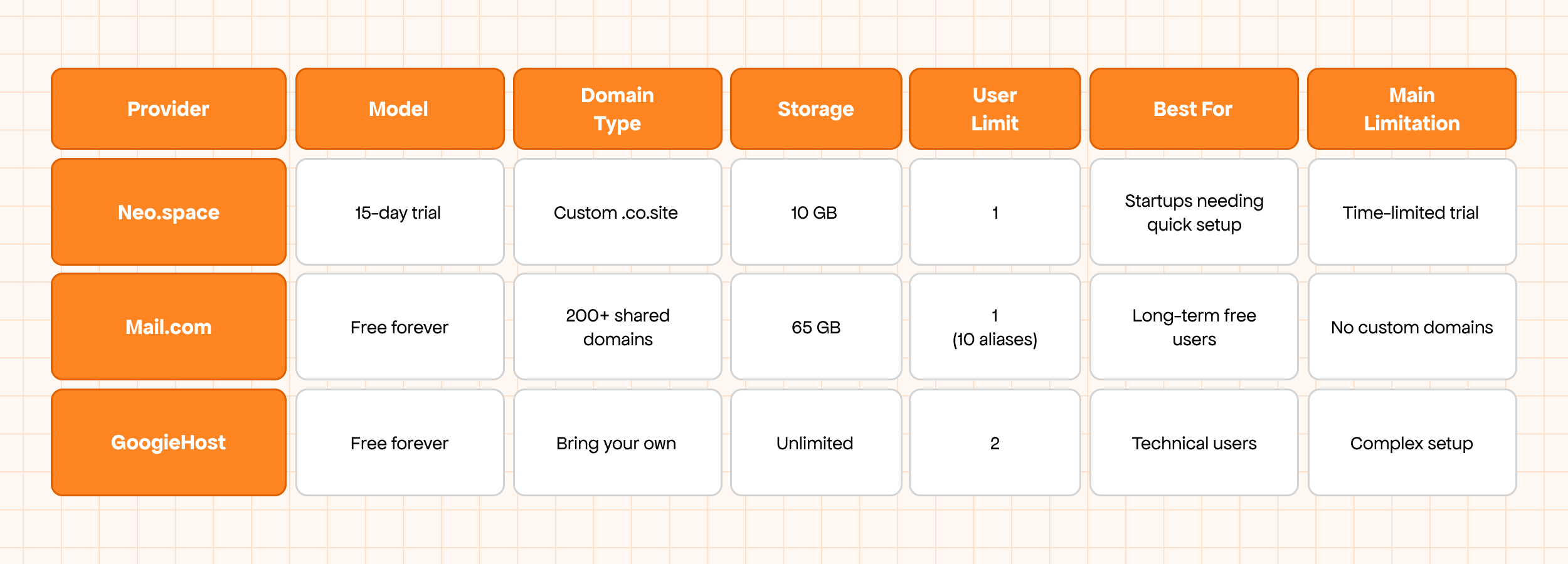
Quick Comparison: At a Glance
Setting Up Your Free Business Email (Step by Step)
Getting your professional email running doesn’t have to be complicated. Follow these simple steps:
1. Choose your provider.
- Need a complete but temporary setup? Go with Neo Mail.
- Want a permanent, free option? Mail.com is your best bet.
2. Register and verify. Most providers ask for phone verification to block spam signups. Keep your phone nearby.
3. Pick your domain.
- With Neo Mail, you’ll claim your .co.site name.
- With Mail.com, scroll through 200+ shared domains until you find one that fits your business.
4. Create your first mailbox. Keep it simple: firstname@domain.com or info@domain.com. Avoid numbers or odd characters — they look unprofessional.
5. Connect to your email client. Many users prefer Gmail or Outlook. Both Neo Mail and Mail.com support external access, so you can keep everything in one inbox.
6. Test deliverability. Send test emails to Gmail, Yahoo, Outlook, and others. Check if they land in the inbox or spam. This step is crucial and often skipped.
What About Other “Free” Options?
You’ve likely heard of other providers that advertise “free” business email. Here’s why they didn’t make this list:
- Zoho Mail: Offers free hosting but requires you to bring your own domain. Since domains cost money, it’s not truly free.
- Yandex: Includes custom domains for free. But due to security and trust concerns, many U.S. businesses avoid Russian-owned services.
- Google Workspace / Microsoft 365: Provide free trials only. No domains included, and the goal is to upsell you into paid plans.
- Hosting bundles (Bluehost, HostGator, etc.): Market email as “free,” but only if you pay for hosting. The email itself isn’t free.
Real-World Scenarios
Choosing the right provider depends on your situation. Here are a few scenarios that show where each option works best:
1. The Solo Consultant Sarah is a freelance marketer just starting out. She doesn’t want to buy a domain yet but needs to look professional. With Mail.com, she picks @consultant.com as her email. It costs nothing and helps her build trust with clients.
2. The Startup Founder David is preparing a pitch deck for investors. He wants a branded email and a simple website to look polished fast. He signs up with Neo Mail, grabs davidstartups.co.site, and sets up his first mailbox in minutes. The free trial gets him through his pitch. Once funded, he upgrades to keep everything running.
3. The Community Nonprofit A local animal shelter needs a free inbox to coordinate volunteers. They use Mail.com and choose @animalrescueusa.com. The free plan gives them stability, and their emails look more credible than a personal Gmail address.
4. The Tech-Savvy Small Business Raj runs a small web design studio and already owns a domain. He wants unlimited storage and doesn’t mind a technical setup. With GoogieHost, he creates two email accounts under his domain and manages them through the control panel. It takes effort, but he values the control.
Final Recommendation
As you’ve seen in the scenarios above, the best free business email providers are about gaining professional credibility without a big upfront cost.
Neo Mail is the best choice if you need the complete package. The 15-day trial gives you a custom domain, business email, and even a starter website. It’s a quick way to look professional and start building trust. When you’re ready, their paid plans are affordable for most small teams.
Mail.com is the winner for long-term free use. If you’re comfortable with pre-set domains and don’t mind ads, it gives you a stable, well-established service at no cost — forever.
So, where should you start?
- Pick Neo Mail if you want a fast, polished setup and expect to grow into paid services.
- Pick Mail.com if you want a zero-cost, long-term solution and can work with shared professional domains.
Either way, you’ll look more professional than with a Gmail address — and your customers will notice the difference.

