




Email bouncebacks are one of the most frustrating challenges in email marketing, but they’re also one of the most important metrics to track. Knowing why they happen and how to fix them is the key to keeping your campaigns effective and your email bounce rate low.
What is an email bounceback and why does it happen?
An email bounceback happens when your message cannot be delivered to the recipient’s inbox. Instead, you receive an automated response from the server saying the email has “bounced back.” This bounce means your email never reached its intended destination, and it often signals a problem with either the recipient’s address or your sending practices.
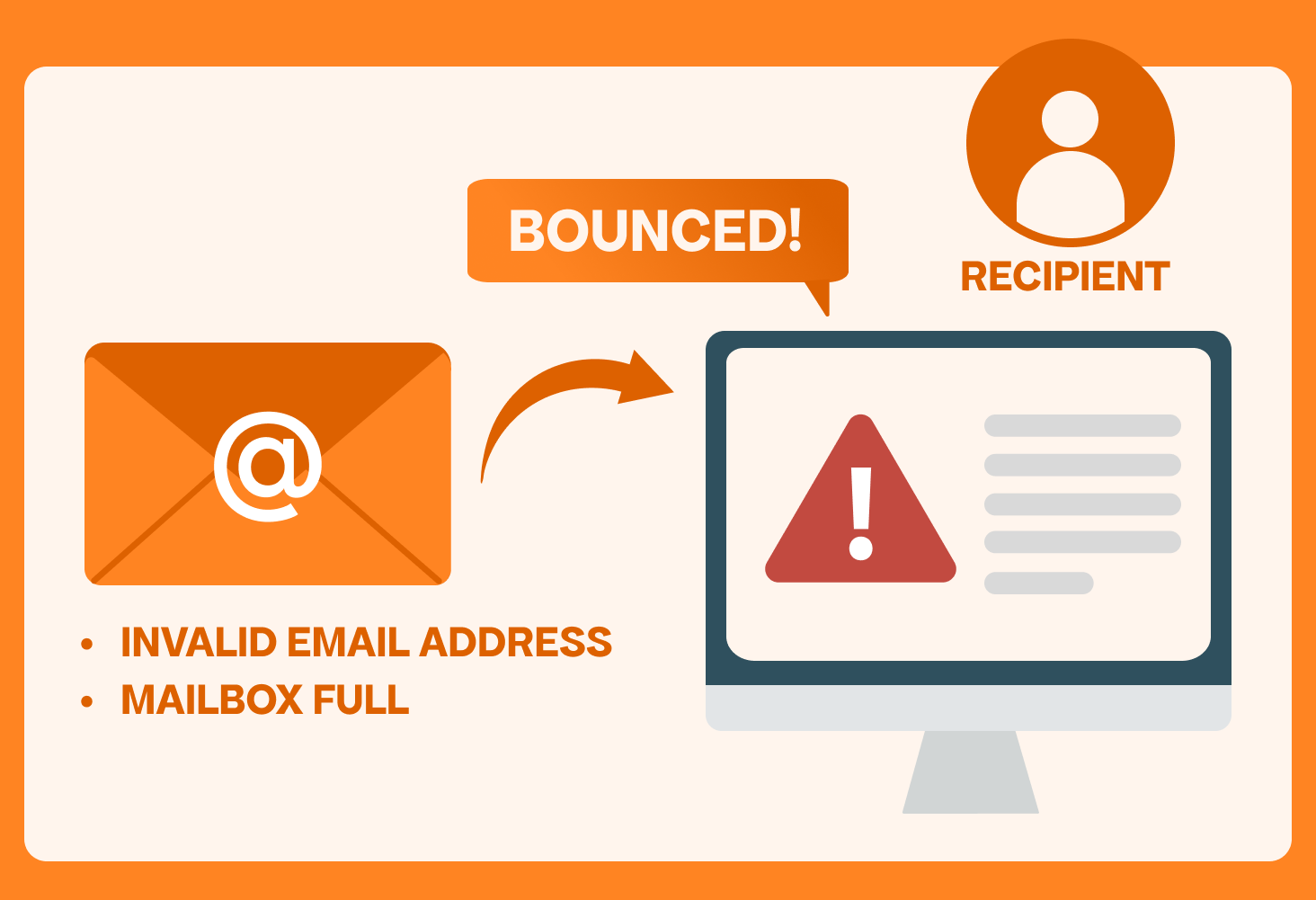
Bouncebacks happen for different reasons: invalid email addresses, full inboxes, blocked domains, or strict spam filters. In 2025, bouncebacks are more common than ever because email providers constantly tighten security and filtering rules. For businesses, monitoring bouncebacks is critical because a high email bounce rate directly impacts deliverability, reputation, and campaign performance.
What are the different types of email bouncebacks?
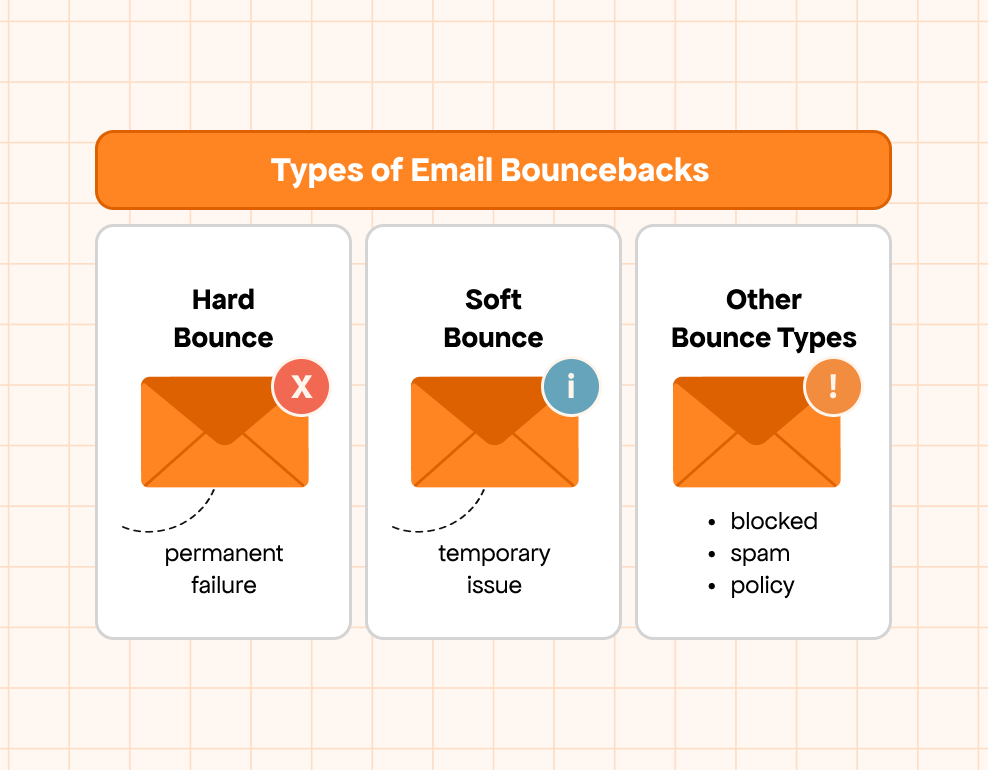
Not all email bouncebacks are the same. Understanding the main email bounce types helps you quickly identify the cause and decide what action to take. Every marketer needs to know the difference between hard, soft, and other bounce categories to keep their email bounce rate under control.
What is a hard bounce in email?
A hard bounce is a permanent delivery failure. It happens when the email address you are sending to is invalid, closed, or simply does not exist. These bounce back emails cannot be delivered, no matter how many times you retry. Common causes include:
- Typos in the email address (e.g., “gmal.com” instead of “gmail.com”).
- The recipient’s domain is no longer being active.
- The address being deactivated after long periods of inactivity.
Since hard bounces signal addresses that will never work, they should be removed immediately. Regular list cleaning with an email bounce back checker helps prevent these issues and protects your sender reputation.
What is a soft bounce in email?
A soft bounce is a temporary delivery issue. Unlike hard bounces, these emails may still be delivered if retried later. Common reasons include:
- The recipient’s inbox is full.
- The server is temporarily unavailable.
- The message is too large for the inbox to handle.
While a few soft bounces are normal, consistent soft bouncebacks can increase your overall email bounce rate. Keeping track of them ensures they don’t become long-term delivery failures.
What other bounce types should marketers know?
Beyond hard and soft bounces, marketers also face other email bounce types that affect campaigns:
- Blocked bounces: when your domain or IP is blacklisted by the recipient’s server.
- Spam filter bounces: when your email content triggers spam rules.
- Policy-related bounces: when the receiving domain has strict rules about authentication or sending volume.
Knowing these categories makes it easier to act quickly and maintain strong deliverability. Using an email bounce back checker and monitoring reports from your ESP gives you clear insights into what’s happening behind every failed delivery.
If you want to dive deeper into the technical details, real-world examples, and advanced strategies for handling different bounce categories, we’ve created a full guide about email bounce types for you.
What causes email bouncebacks?
Every marketer eventually faces email bouncebacks, but the real challenge is understanding why they happen. A high email bounce rate is more than just a technical hiccup; it directly affects your deliverability, reputation, and ROI. Bouncebacks are essentially warning signs that something is wrong with your list quality, your sending practices, or the recipient’s mail server.
Here are the most common email bounce types and their causes:
1. Invalid or inactive addresses
One of the biggest causes of bounce back emails is trying to reach inboxes that simply don’t exist. This usually happens because of:
- Typos during sign-up (e.g., “gmal.com” instead of “gmail.com”).
- Employees leaving a company and their email being deactivated.
- Old accounts that are no longer monitored.
Example: You send a newsletter to john@gmal.com instead of john@gmail.com, and it bounces immediately.
2. Full or over-quota mailboxes
Some bouncebacks are temporary. If the recipient’s inbox is full or over its storage limit, your message can’t be delivered. These are categorized as soft bounces. While a few soft bounces are normal, consistent soft bouncebacks indicate that your list isn’t being actively managed.
Example: You email susan@example.com, but her inbox is full, so your message is rejected.
3. Server or technical issues
Sometimes the issue isn’t with your message or list but with the recipient’s mail server. If the server is down, under maintenance, or overloaded, it will reject your message. These errors are often resolved automatically, but they still count toward your email bouncebacks.
Example: You send to michael@company.com, but their server is offline for maintenance, so your email bounces back.
4. Spam filter blocks
Modern email providers have strict spam filters. If your subject line, content, or links look suspicious, the server may reject your email before it even hits the inbox. This type of bounceback is frustrating because it feels random, but in reality, it’s often caused by poor list segmentation, overuse of promotional words, or sending too many emails in a short time.
Example: You send an email with the subject line “WIN $$$ NOW!!!” and the server blocks it as spam.
5. Authentication errors
Without proper authentication, your emails may not be trusted. Missing or misconfigured SPF, DKIM, or DMARC records are major reasons behind bouncebacks today. For example, if your domain isn’t aligned with your sending server, the recipient’s system may view your email as a spoofing attempt and block it.
Example: You send from @brand.com, but your domain lacks SPF/DKIM records, so Gmail rejects the email.
6. Blacklisted IPs or domains
If your sending domain or IP address ends up on a blacklist, every email you send risks being bounced. Blacklisting usually happens after high spam complaints or sending too many invalid addresses. This is one of the most damaging causes of bouncebacks because it affects not just one campaign, but your entire ability to reach inboxes.
Example: Your domain appears on a spam blacklist, so Outlook blocks all emails from your address.
To better understand how bounced emails are handled and categorized, this guide explains the different types of email bounces and how they’re processed.

How to spot and prevent these issues
The best way to fight bouncebacks is to be proactive. Many marketers rely on an email bounce back checker to identify invalid or risky addresses before sending campaigns. Pairing this with regular list cleaning, proper authentication, and smart sending practices ensures your email bounce rate stays within healthy benchmarks.
Why does email bounce rate matter for your campaigns?
Your email bounce rate is more than just a number it’s a signal to inbox providers about your sender reputation. A high bounce rate tells platforms like Gmail, Outlook, and Yahoo that you may be sending to poor-quality lists or not following best practices. The result? Lower deliverability, more bounce back emails, and a greater chance your messages end up in spam folders.
Bounce rate also impacts your overall marketing performance:
- Deliverability: If your bounce rate stays above industry benchmarks, providers may block your domain entirely.
- Engagement: Fewer messages reaching inboxes means lower open rates, clicks, and conversions.
- Reputation: Internet service providers track your sending behavior. Too many failed deliveries damage trust and make recovery harder.
Simple example: If you send 10,000 emails and 800 bounce, your 8% bounce rate signals poor list hygiene well above the safe range of 2% or lower.
How can you reduce email bouncebacks?
Reducing email bouncebacks starts with proactive list management and smart sending practices. The goal is to prevent invalid or risky addresses from entering your database while ensuring your domain is fully authenticated. Here are proven steps:
- Clean your list regularly Remove inactive, invalid, or duplicate addresses at least once a quarter. This lowers hard bounces and protects your reputation. Example: Delete subscribers who haven’t engaged in 12+ months.
- Use an email bounce back checker Tools that verify emails before you hit send help you identify addresses likely to fail. Example: Running your list through a checker flags john@gmal.com as invalid.
- Authenticate your domain Set up SPF, DKIM, and DMARC records to prove your emails are legitimate. Example: A properly authenticated @brand.com domain passes checks and avoids rejection.
- Segment and send carefully Avoid blasting everyone at once. Start with smaller, engaged groups before scaling up. Example: Send your campaign first to recent openers, not your entire list.
- Monitor performance Track bounce reports from your ESP to catch patterns early. Soft bounces that repeat can be removed before they become permanent failures. Example: If susan@example.com soft bounces three times in a row, suppress her from future sends.
Related Reading: Effective email examples don’t just look good they’re built on user behavior and design principles, which this guide on the psychology of email engagement through UX insights explains in detail.
What is a good email bounce rate benchmark in 2025?
No matter how carefully you manage your lists, some email bouncebacks are inevitable. The real question is: what’s considered a healthy bounce rate? In 2025, most experts agree that keeping your email bounce rate under 2% is safe. Anything higher signals problems with list quality, domain reputation, or authentication.
Industry benchmarks, however, can vary significantly. Based on recent data, here’s how bounce rates look across different sectors:
- Advertising & Marketing: 0.27%
- Agriculture & Food Services: 0.30%
- Education & Training: 0.31%
- Business & Finance: 0.35%
- Restaurant, Food & Beverage: 0.51%
- Government & Politics: 0.28%
- Healthcare Services: 0.44%
- IT/Tech/Software: 0.66%
- Media, Entertainment & Publishing: 0.21%
- Nonprofit: 0.40%
- Professional Services & Consulting: 0.54%
- Architecture & Construction: 1.31%
- Retail: 0.31%
- Hobbies & Leisure: 0.21%
- Wellness & Fitness: 0.32%
- Real Estate: 0.36%
- Telecommunications: 0.50%
- Computers & Electronics: 0.46%
- Manufacturing: 0.84%
- Creative Services & Agency: 0.82%
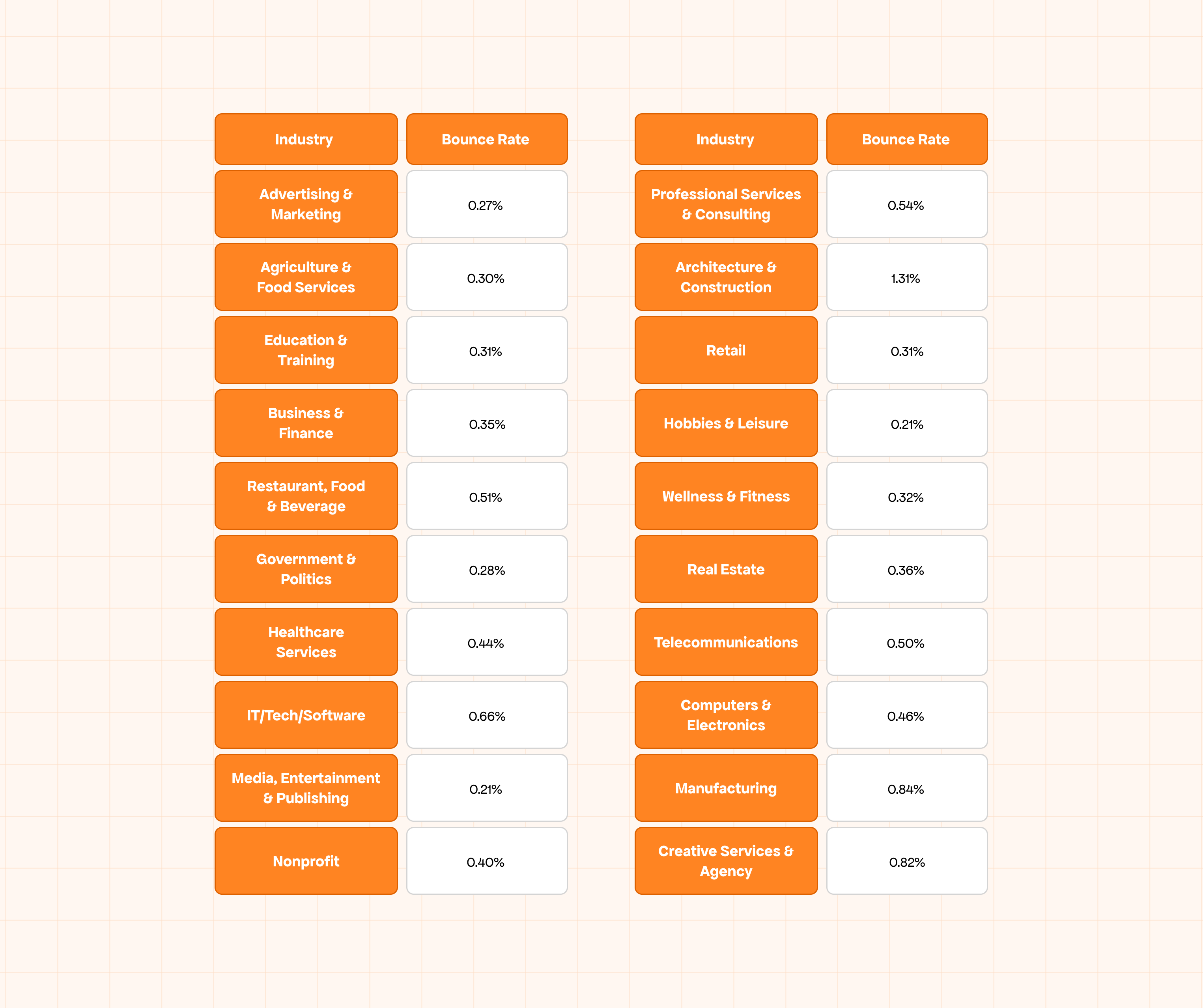
As you can see, industries like Media & Entertainment (0.21%) and Hobbies & Leisure (0.21%) enjoy some of the lowest bounce rates, while Architecture & Construction (1.31%) and Manufacturing (0.84%) face higher averages.
Simple example: If you run campaigns for real estate and your bounce back emails are at 0.4%, you’re aligned with industry norms. But if the same campaign hits 2% or more, it’s time to clean your list and improve your authentication setup.
Conclusion
By understanding the different email bounce types, tracking the common causes, and using tools like an email validation, you can keep your list clean, protect your sender reputation, and ensure your messages land where they belong in the inbox.
At the end of the day, the benchmark is simple: keep your bounce rate under 2%, stay proactive with verification, and treat your email list like the valuable asset it is. Do this consistently, and bouncebacks will turn from a headache into just another manageable metric in your marketing toolkit.

