




According to the Harvard Business Review the average professional receives over 120 emails a day. That means your carefully crafted message is competing with dozens of others for a few seconds of attention. Most emails get skimmed, ignored, or deleted before the reader even reaches the second line.
So how do you write an email that actually gets opened, read, and answered? It comes down to a set of practical habits that anyone can learn. Whether you're sending a cold outreach email, following up with a client, or making an internal request, these 10 tips will help you write emails that cut through the noise and get results.
Why Most Emails Fail
Before diving into the tips, it's worth understanding why most emails don't work. The problems are almost always the same: the subject line is vague, the message is too long, and the purpose is buried somewhere in the third paragraph.
Effective emails share three qualities. They're clear about what they want, concise in how they say it, and action-oriented so the reader knows exactly what to do next. Learning how to write effective emails isn't about being a better writer it's about respecting the reader's time and making their next step obvious.
How to write an email?
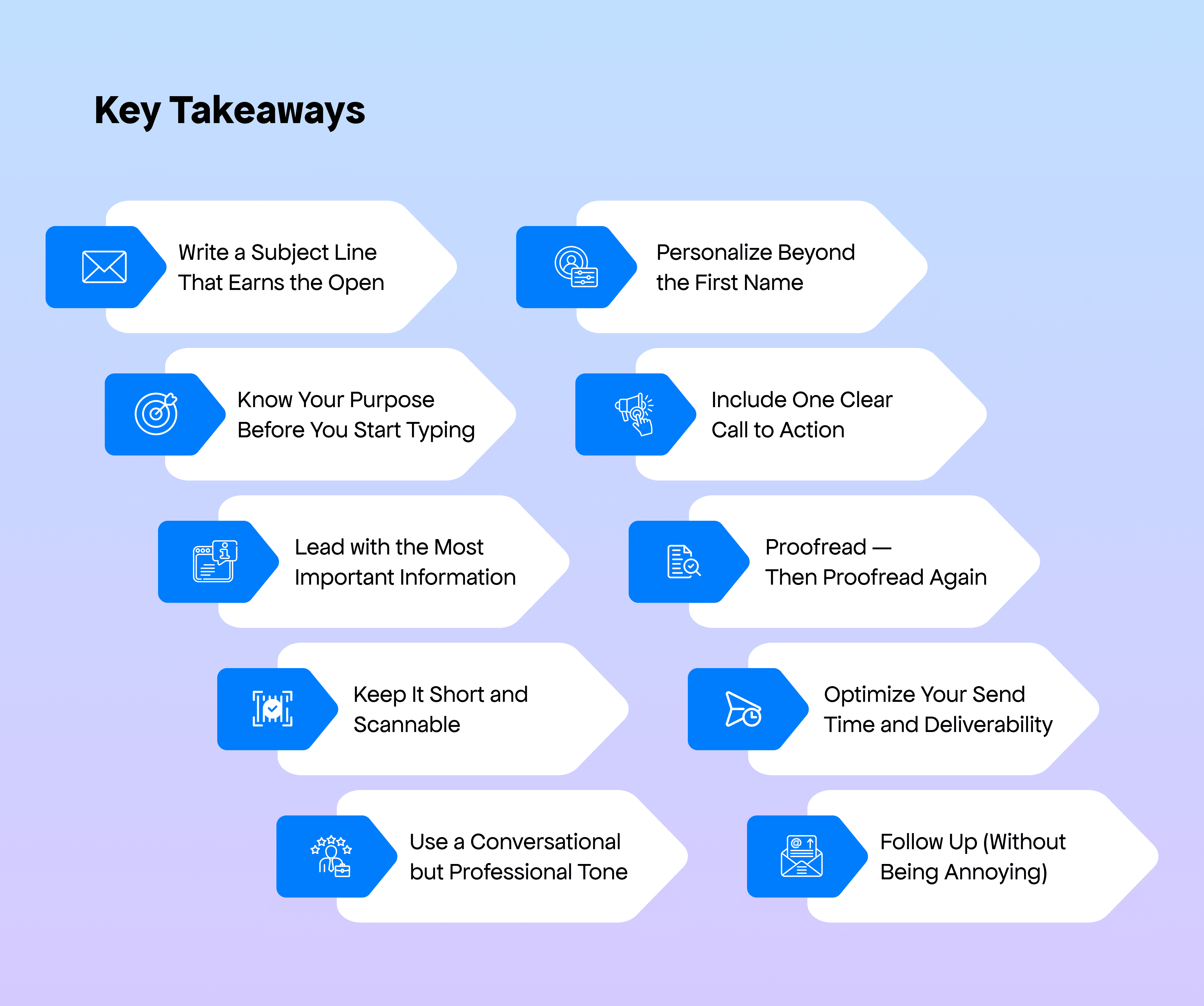
10 Tips for Writing Highly Effective Emails
1. Write a Subject Line That Earns the Open
Your subject line is the gatekeeper. If it doesn't spark enough interest, your email never gets read. Keep it under 50 characters, be specific about the value inside, and avoid spammy words like "free," "urgent," or all-caps text.
Compare these two subject lines: "Quick question about your Q3 hiring plan" versus "Important — Please Read." The first one is specific and relevant. The second could be anything and feels like clickbait. Specificity wins every time.
Tip: Struggling to write subject lines that convert? VitaMail's free Subject Line Generator creates high-performing subject lines in seconds based on your email's goal and audience.
2. Know Your Purpose Before You Start Typing
Every email you send should have one clear goal: inform, request, confirm, or persuade. If you can't summarize the purpose in a single sentence, the email isn't ready to send yet. Knowing your purpose before you write is one of the fundamentals of how to write an email professionally. It keeps your message focused and prevents the reader from wondering, "What exactly do they want from me?"
3. Lead with the Most Important Information
Don't save the punchline for the end. Busy readers scan emails from top to bottom, and many won't make it past the first few lines. Put your key message, request, or question in the opening sentences. Think of it like the inverted pyramid journalists use: lead with the conclusion, then add supporting details below. If the reader stops after two sentences, they should still understand what you need.
4. Keep It Short and Scannable
Research consistently shows that emails between 50 and 125 words get the highest response rates. Use short paragraphs of two to three sentences, add white space between ideas, and bold key phrases only when it genuinely helps readability.
One of the most overlooked email writing tips is this: if your email looks like a wall of text on a phone screen, it probably won't get read. Edit ruthlessly. Every sentence should earn its place.
How to write an email professionally?
Tip: Want emails that are perfectly structured every time? VitaMail's AI Email Generator writes professional, ready-to-send emails tailored to your goal and audience. Give it a try.
5. Use a Conversational but Professional Tone
The best emails sound like a real person talking. Write the way you'd speak in a professional meeting, then edit for clarity. Avoid stiff corporate phrases like "Per our previous correspondence" or "I am writing to inform you that." At the same time, skip anything too casual unless the relationship calls for it. The goal is to sound human, approachable, and competent.
6. Personalize Beyond the First Name
Dropping someone's first name into a template doesn't count as personalization anymore. Real personalization means referencing something specific: a recent company announcement, a mutual connection, a challenge their industry is facing, or something they posted publicly. It takes more effort, but it signals that your email isn't mass-produced. That small investment in research is often the difference between a reply and a delete.
7. Include One Clear Call to Action
Don't leave the reader guessing what to do next. End your email with one specific, low-friction ask. "Are you free for a 15-minute call Thursday at 2pm?" is far more effective than "Let me know if you'd like to chat sometime." The more specific your CTA, the easier it is for the reader to say yes. If your email has multiple action items, bold the most important one or break them into a numbered list so nothing gets missed.
8. Proofread — Then Proofread Again
Nothing undermines credibility faster than a typo in the recipient's name or a broken link. Before hitting send, read the entire email out loud. Check that names are spelled correctly, dates are accurate, and any links actually work. If you're sending an important email, step away for a few minutes and re-read it with fresh eyes. Small mistakes create big doubts about your attention to detail.
9. Optimize Your Email Send Time and Deliverability
Timing matters more than most people think. Understanding terms like the meaning of cob in email also helps avoid confusion when setting deadlines and planning when messages should be sent. Research suggests that Tuesday through Thursday mornings between 8am and 10am in the recipient's local time tend to produce the best open and response rates. Avoid Monday mornings when inboxes are overflowing and Friday afternoons when people are mentally checked out.
But timing is irrelevant if your emails land in spam. Before you scale any outreach, make sure your domain's email authentication (SPF, DKIM, and DMARC records) is properly configured and your sender reputation is healthy.
Tip: Not sure if your domain is properly set up for email delivery? VitaMail's free Domain Checker scans your configuration and flags issues before they tank your deliverability.
10. Follow Up (Without Being Annoying)
Most replies don't come from the first email — they come from the second or third. If you haven't heard back after two to three business days, send a brief follow-up that adds value. Share a relevant resource, reframe your original ask, or simply bump the thread with a short, polite check-in. Keep follow-ups shorter than the original message. Persistence is fine; pestering is not. The key is to stay helpful, not desperate.
A Quick Email Template You Can Use Today
Here's a simple template that puts all 10 tips into practice. Adapt it for outreach, requests, or client follow-ups:
Subject: [Specific, benefit-driven subject under 50 characters]
Hi [First Name],
[One sentence explaining why you're reaching out, personalized to something specific about them or their company.]
[One to two sentences explaining the value you offer or the question you have. Keep it concise and focused on their benefit.]
[One clear CTA: a specific date/time for a call, a yes/no question, or a simple next step.]
Best, [Your Name]
This template works because it's short, specific, and makes the next step effortless. Feel free to modify it for your industry and audience.
Don't Let Bad Data Ruin a Great Email
You've written the perfect email. The subject line is sharp, the message is concise, and the CTA is crystal clear. Then it bounces. Or worse, it lands in spam and quietly damages your sender reputation without you ever knowing.
Email lists decay by 20 to 30 percent every year. People change jobs, abandon inboxes, and create disposable addresses. Invalid addresses, spam traps, and role-based emails silently erode your deliverability over time. Writing a great email is only half the equation. Sending it to a verified, clean list is the other half.
VitaMail's Email Validator checks every address on your list in real time — catching invalid, risky, and disposable emails before you hit send. Clean your list and protect your sender reputation.
Common Email Mistakes to Avoid
Now that you know how to write an email that works, here are the habits to stop immediately: using vague subject lines like "Checking in" with no context, writing paragraphs that belong in a blog post instead of an inbox, forgetting to include a clear next step, burying your request at the bottom of the message, sending to unverified email lists that damage your reputation, and using a passive-aggressive tone that kills the relationship before it starts. Avoiding these mistakes is just as important as following the tips above.
Write Better Emails, Get Better Results
Effective email communication isn't about being a gifted writer. It's about clarity, respect for the reader's time, and a clear next step. These email writing tips might seem simple, but they compound over time. Better emails lead to faster responses, stronger relationships, and more closed deals.
Start applying even two or three of these tips today, and you'll notice a difference in how people respond to your messages.

